




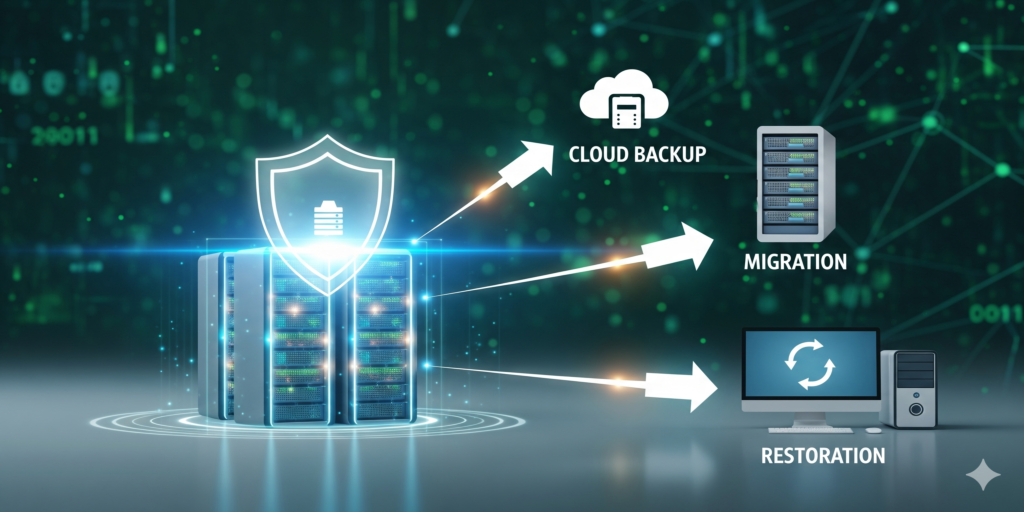
Introduction to Data Management
Data management involves organizing, storing, and protecting your digital information efficiently to ensure accessibility, reliability, and security.
Data Backup Strategies
- Full Backup – Complete copy of all data
- Incremental Backup – Only changes since the last backup
- Differential Backup – Changes since the last full backup
- Cloud Backup – Offsite storage for redundancy and accessibility
Data Recovery Techniques
Effective data recovery ensures minimal downtime and prevents data loss:
- Disk recovery for hardware failures
- File restoration from backups
- Recovery from ransomware or malware attacks
- Disaster recovery planning and testing
Best Practices for Data Management
- Implement a regular backup schedule
- Encrypt sensitive data both in transit and at rest
- Monitor storage systems for performance and errors
- Document backup procedures and recovery plans
- Test recovery processes regularly
Proactive Tips: data management
- Use redundant storage solutions like RAID arrays
- Store critical data offsite or in cloud solutions
- Keep multiple backup versions to prevent corruption issues
- Educate staff on proper data handling and protection
Pro tip: Automate backup and recovery processes where possible to reduce human error and ensure consistent protection.
Conclusion: data management
Proper data management and recovery strategies are vital for business continuity and data security. Implementing best practices ensures your data remains safe, accessible, and recoverable when needed.
The 3-2-1 backup rule in plain English
CISA's small business guidance boils sound backup strategies down to 3-2-1: three copies of anything important, kept on at least two kinds of media, one of them away from your premises. Ransomware adds a further idea: at least one copy should be offline or immutable, so malware that reaches your network cannot encrypt or erase it. CISA also recommends proving that data can be recovered both in full and file by file, and rolled back at least seven days.
RAID and sync are not backups
RAID protects against a dead disk, not against mistakes. When a file is deleted, corrupted or encrypted by ransomware, the array faithfully mirrors that damage to all its members within seconds, and folder sync services do much the same. Both have a place in data management, yet neither replaces versioned backups you can roll back.
Decide how much you can lose and how long you can wait
Two numbers shape the plan. The recovery point objective is how much recent work you can afford to lose, which sets backup frequency. The recovery time objective is how long the business can wait, which decides whether restoring from the cloud is fast enough or a local copy is needed too.
Data protection at the end of a device's life
Data management does not stop when a computer is retired. Deleting files or reformatting a drive leaves data recoverable. NIST's media sanitization guideline, SP 800-88 (Revision 2, published September 2025), describes clear, purge and destroy as the ways to make data unrecoverable, and retired drives, including those inside copiers and NAS units, should go through one of them with a record kept.
Frequently asked questions: data management
How do I restore data after a ransomware attack?
Disconnect affected machines, delete nothing yet, and identify the last backup taken before the infection. Rebuild or clean the systems first and restore data afterwards, so it does not land on a compromised machine. Report the incident; the FBI accepts reports through IC3.
Do I need to back up Microsoft 365 or Google Workspace?
Yes, if losing email or files would hurt. The providers keep their platforms running, but deleted-item retention is limited, and a compromised account or a mistaken deletion can remove data you still need.
How long should backups be kept?
Long enough to cover problems discovered late, such as a file corrupted weeks ago, and any legal or contractual retention periods that apply to your records.
Need help with this? Our backup and disaster recovery service designs and tests the plan, hard drive shredding and data destruction handles drives at the end of their life, and IT asset disposition retires business laptops with their data wiped first. Request a quote.
Data Management: What Else to Know
Effective data management is crucial for businesses with growing datasets and limited storage capacity. Consider implementing a tiered storage system, where frequently accessed files are stored on fast local drives and less-used archives are moved to the cloud or external hard drives. This approach optimizes performance, reduces costs, and ensures compliance with regulatory requirements.
What happens if my backup fails due to hardware failure?
A failed backup device is not a data loss event; it's a backup system failure that can be addressed by restoring from another backup source or re-running the last successful backup. This highlights the importance of having multiple backups and verifying their integrity regularly.
How do I know which data to prioritize for recovery in case of an outage?
Prioritize critical business applications, such as email, customer databases, and financial records, over non-essential files like documents or videos. Identify essential systems and processes that require immediate restoration to minimize downtime and maintain operations.