


When property managers ask whether IP cameras or traditional CCTV systems provide better security for a smart building, the short answer today is almost always IP. The more useful question comes next: which platform will run those IP cameras? The platform decides how video is stored, who can reach it, how it talks to access control and building systems, and how hard it will be to change vendors in five years. This guide compares the three common architectures so you can choose a smart building camera platform with your eyes open.
Why the platform matters more than the camera
Two buildings can install the same camera model and end up with very different security. In one, cameras sit on a flat network with default passwords and firmware that has not been touched since installation day. In the other, cameras live on their own segment, receive firmware updates on a schedule, and send video only to a recorder that is itself patched and monitored. The hardware is identical; the platform and the way it is managed are not.
For a smart building, the platform also determines integration. Door events, alarm panels, elevator controls and visitor management systems all benefit from being tied to video, and each platform approaches that differently.
Option 1: Cloud-managed cameras
Cloud-managed cameras are configured and viewed through a vendor's web dashboard. Many models record to storage inside the camera and upload thumbnails, metadata or clips to the cloud, while others stream continuously to the vendor's data center.
- Strengths: no local server to maintain, central management across several properties, automatic firmware updates, and user access controlled with single sign-on and multi-factor authentication.
- Weaknesses: ongoing license fees per camera, dependence on internet bandwidth for remote viewing, and limited choice of cameras because most platforms only work with their own hardware.
- Integration: usually through the vendor's API and a list of supported partners. If your access control system is on that list, integration is simple; if not, it may not be possible at all.
Cloud-managed cameras suit owners with several smaller sites and little on-site IT staff, as long as they accept the subscription model.
Option 2: An on-premise video management system
A video management system (VMS) is software running on a server you control. It records cameras from many manufacturers, manages user permissions, and offers the deepest integration options.
- Strengths: broad camera support through ONVIF and vendor drivers, flexible retention and storage, event rules that combine video with door, alarm and sensor inputs, and video that stays inside your building.
- Weaknesses: someone has to patch the server operating system, update the VMS software, watch disk health and plan capacity. A neglected VMS server can become the weakest point in the network.
- Integration: the strongest of the three. Most serious VMS products offer SDKs, APIs and plugins for access control integration, license plate recognition and building management systems.
A VMS fits larger buildings, campuses and properties where security staff actively use video for investigations and live monitoring.
Option 3: A standalone NVR
A standalone NVR is an appliance with built-in disks that records a fixed number of cameras. It is the simplest and most common choice for small commercial buildings.
- Strengths: low complexity, no separate server, and a familiar interface for staff.
- Weaknesses: limited integration, firmware updates that are often forgotten, and remote access features that are frequently exposed to the internet in unsafe ways. Scaling beyond the channel count means adding another box.
- Integration: usually basic. Some NVRs accept alarm inputs or send events to an access control panel, but deep building integration is rare.
A standalone NVR is reasonable for a single small building, provided it is kept off the open internet and updated like any other network device.
Comparing the security posture
Firmware updates
Cloud platforms push updates centrally. With a VMS or standalone NVR, updates for cameras, recorder and server must be scheduled by whoever maintains the system. Ask any installer who will own that job after handover.
Network segmentation
Whatever platform you choose, cameras should not share a network with tenant Wi-Fi or office computers. Camera network segmentation with a dedicated VLAN and firewall rules limits what an attacker can reach if one camera is compromised.
Encryption and remote access
Check whether video is encrypted in transit and at rest, and how remote users connect. A VPN or a vendor's authenticated cloud relay is far safer than port forwarding straight to a recorder.
Integration through ONVIF and APIs
ONVIF is an industry standard that lets cameras and recorders from different manufacturers work together. It covers video streaming, basic events and PTZ control well, but advanced analytics are often only available through a vendor's own protocol. For building systems, look at the platform's API: can it receive door events, trigger bookmarks, or push alerts to your building management software? Test the specific integration you need before signing a contract.
Weighing vendor lock-in
Vendor lock-in is the hidden cost in many camera projects. Cloud-managed cameras usually stop working with the platform if the subscription lapses, and moving to another vendor often means replacing every camera. A VMS that supports ONVIF gives more freedom, while a standalone NVR ties you to one manufacturer's ecosystem but is cheap to replace. Consider how long you expect to own the building and how often the tenant mix changes.
A simple way to decide
- Several small sites with no on-site IT: lean toward cloud-managed cameras.
- A large building with security staff and access control integration needs: choose a video management system.
- One small building with a modest budget: a standalone NVR on a segmented network can be enough.
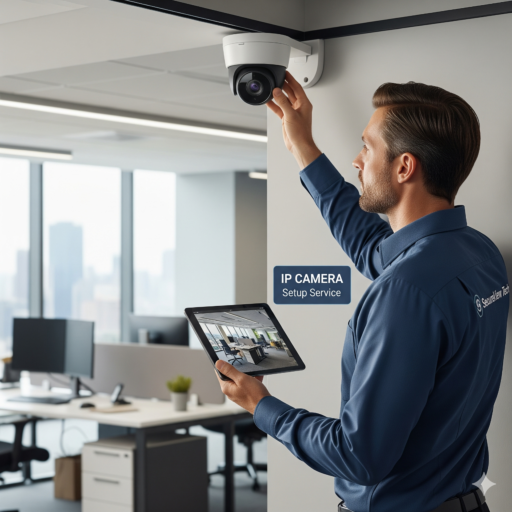
We plan and install camera systems for property managers and businesses in Long Beach, Los Angeles and the South Bay. If you want help comparing platforms for your building, see our IP camera setup service for Los Angeles and Long Beach.
Camera Platform FAQ
Can I mix cloud-managed cameras with an existing NVR?
Sometimes, but usually not smoothly. Most cloud platforms only manage their own cameras, so you would run two separate systems. A VMS is the better choice if you need to combine old and new hardware.
Does ONVIF ensure full compatibility?
It covers basic video and events, but not every feature. Always test the exact camera and recorder combination, including analytics and events you plan to rely on.
Do IP cameras need their own network?
They should. A separate VLAN with firewall rules keeps cameras away from office and tenant devices and limits the damage if one device is compromised.


