When a small office outgrows USB drives and shared laptop folders, the question comes up quickly: NAS or server for a small office? Both put files in one place that everybody can reach, and the price gap can be large, so it is tempting to pick on cost alone. This article explains the real differences and gives you a short list of questions to answer before you buy.
What a NAS Is, and What It Does Well
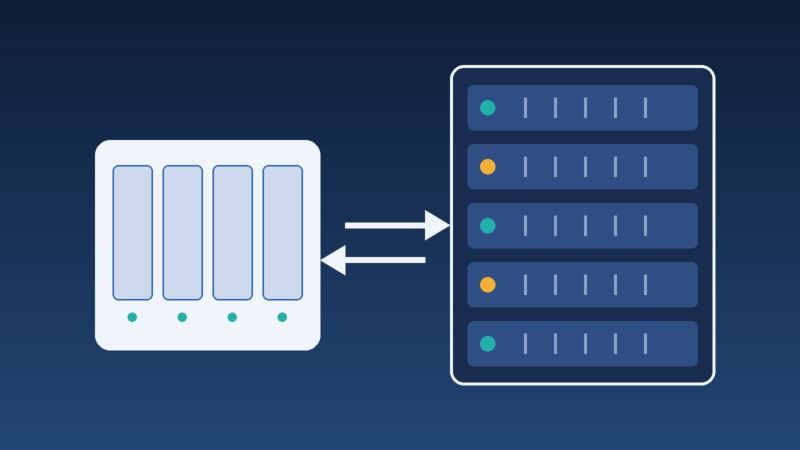
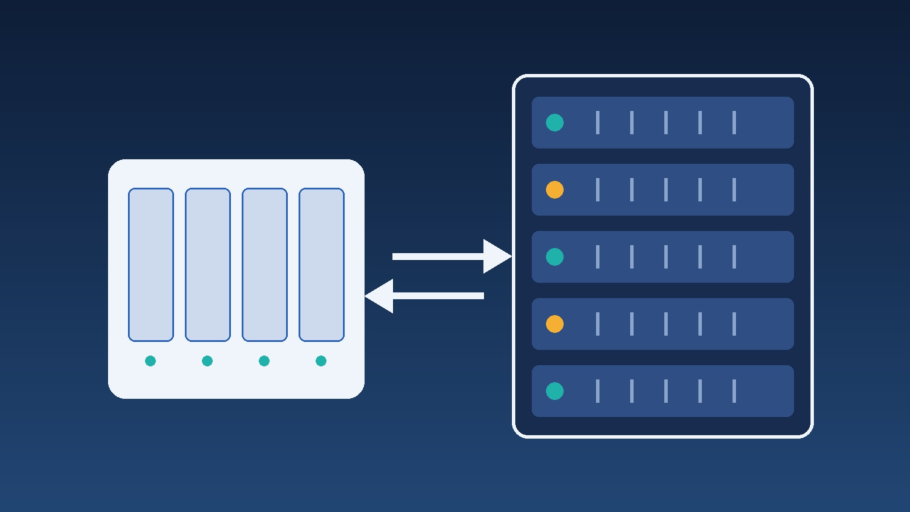
A NAS (network attached storage) is a small, dedicated box with its own operating system and a few drive bays. You plug it into the network, create shared folders and user accounts, and staff reach their files like any other drive. It is the simplest small office file server you can buy: file sharing for small business with permissions, snapshots and basic remote access.
A NAS is a good fit when:
- The main job is storing and sharing documents, scans, photos or project folders.
- The group is small, from a handful of people to a few dozen.
- You want low power use, quiet operation and little ongoing administration.
- The office already uses cloud services for mail and applications.
When a Real Server Is the Better Choice
A server for small business is a general-purpose computer. It can host a NAS-style file share too, but its value is that it can also run other things. Consider a server when:
- You need a Windows domain or central user management for many computers.
- A line-of-business application, a database or accounting software must run on-site and cannot run in the cloud.
- You want to run several services as virtual machines on one box, for example a file share, a print service and a test system.
- You need hardware features that suit continuous operation: redundant power supplies, remote management, error-correcting memory, and warranty or support options aimed at business use.
The trade-off is cost and care. A server needs an operating system to install and patch, monitoring, a place to stay cool and quiet, and someone responsible for it. Our guide to signs your small business server needs attention shows what that upkeep looks like in practice.
NAS vs Server: A Side-by-Side View
| Question | NAS | Server |
|---|---|---|
| Main purpose | Storing and sharing files | Running applications, services and file shares |
| Administration | Web interface, modest effort | Operating system and services to maintain |
| Applications | Limited, vendor-defined | Almost anything the operating system supports |
| Central user management | Basic accounts, some support directory services | Full directory and policy control |
| Typical cost | Lower to start | Higher to buy and to maintain |
The table gives the general pattern; individual products differ, so read the specifications of the exact models you are considering.
RAID Is Not a Backup
Both options usually offer RAID, which keeps the data available if one drive fails. That is valuable, but RAID is not a backup. It will happily mirror a deleted folder, a ransomware-encrypted file or a corrupted database to every drive, and it does not help when the whole device is lost to fire, theft or a power surge. Whatever you choose, plan a separate copy that lives elsewhere. Our small business backup checklist explains the 3-2-1 rule, and when a drive does fail in an array, see how to replace a failed disk in mdadm RAID.
Questions to Answer Before You Buy
- How many people and devices will use it, and how will that change in two or three years? Leave room for growth in drive bays and memory.
- What data do we have today, and how fast is it growing? Size the storage for the amount you have now plus a realistic margin, and remember that backups need space too.
- Which applications must run on-site? Check the vendor's requirements before assuming a NAS can host them.
- Who will look after it? A device nobody updates becomes a security risk. Decide who applies updates and reads alerts.
- What happens if it stops? Write down how long the office can work without it. That decides whether you need redundancy, a spare, or a fast restore from backup.
- Where will it live? Ventilation, a stable power supply (consider a UPS) and physical security matter more than the brand.
- Is cloud storage enough? For some offices, Microsoft 365 or Google Workspace file storage replaces a local file share altogether. A local device is most useful for large files, fast internal access, or applications that need it.
Do Not Skip the Network
A fast storage box on a weak network feels slow. Check the switch, the cabling and the Wi-Fi coverage, and keep the device on a wired connection. Remote access to office files should go through a VPN or a properly configured secure gateway rather than ports opened on the router. Our server configuration and optimization service covers sizing, setup and hardening for offices in Los Angeles and Long Beach, and the data backup and disaster recovery service covers protecting whatever you end up with.
Frequently Asked Questions: NAS or Server
Can a NAS replace a file server in a small office?
For plain file sharing it often can. If you need centralized logins and policies for many computers, or applications that must run on-site, a server is the better fit.
How many drives should a NAS have?
Two bays give you mirroring, while four or more allow more capacity and different RAID levels. Whatever the number, plan for the backup copy separately, because RAID does not replace it.
Is it safe to access a NAS from outside the office?
It can be, if access goes through a VPN or the vendor's secure relay, accounts use multi-factor authentication, and the firmware stays updated. Exposing it directly to the internet is a frequent cause of break-ins.
Do we need a UPS?
A small UPS lets the device shut down cleanly during a power cut, which protects the file system from damage. It is inexpensive compared with the data it protects.
Unsure which fits your office? Contact us with the number of users, the software you run and how much data you have, and we will help you compare options.