


Part 1 of this case study showed how visitors browse and search the catalog. Part 2 goes one level deeper, to the building blocks of that catalog: artists, albums and single tracks. WeavyAudio offers background music for venues such as cafés, shops, restaurants and gyms. Our team at Breeze Professional IT Services designed the site, built it, hosts it and maintains it. This part is for venue owners who want to see what is inside the catalog, and for companies that plan a custom web platform.
Between 11 and 13 October 2026 the site got a new look, with a new start screen and new catalog pages. All screenshots below show the new design. They come from a free guest session, so you see a FREE badge at the top and the note "6 skips left" at the bottom right. We cover the artists wall, an artist page, the album list, an album page, the track list, a track page, the charts and Made for you.
The Artists Wall: Every Round Portrait Is One Act
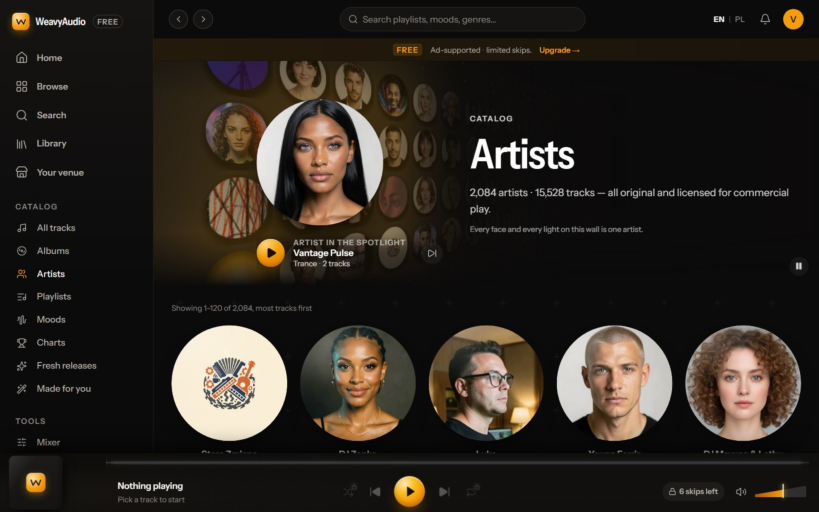
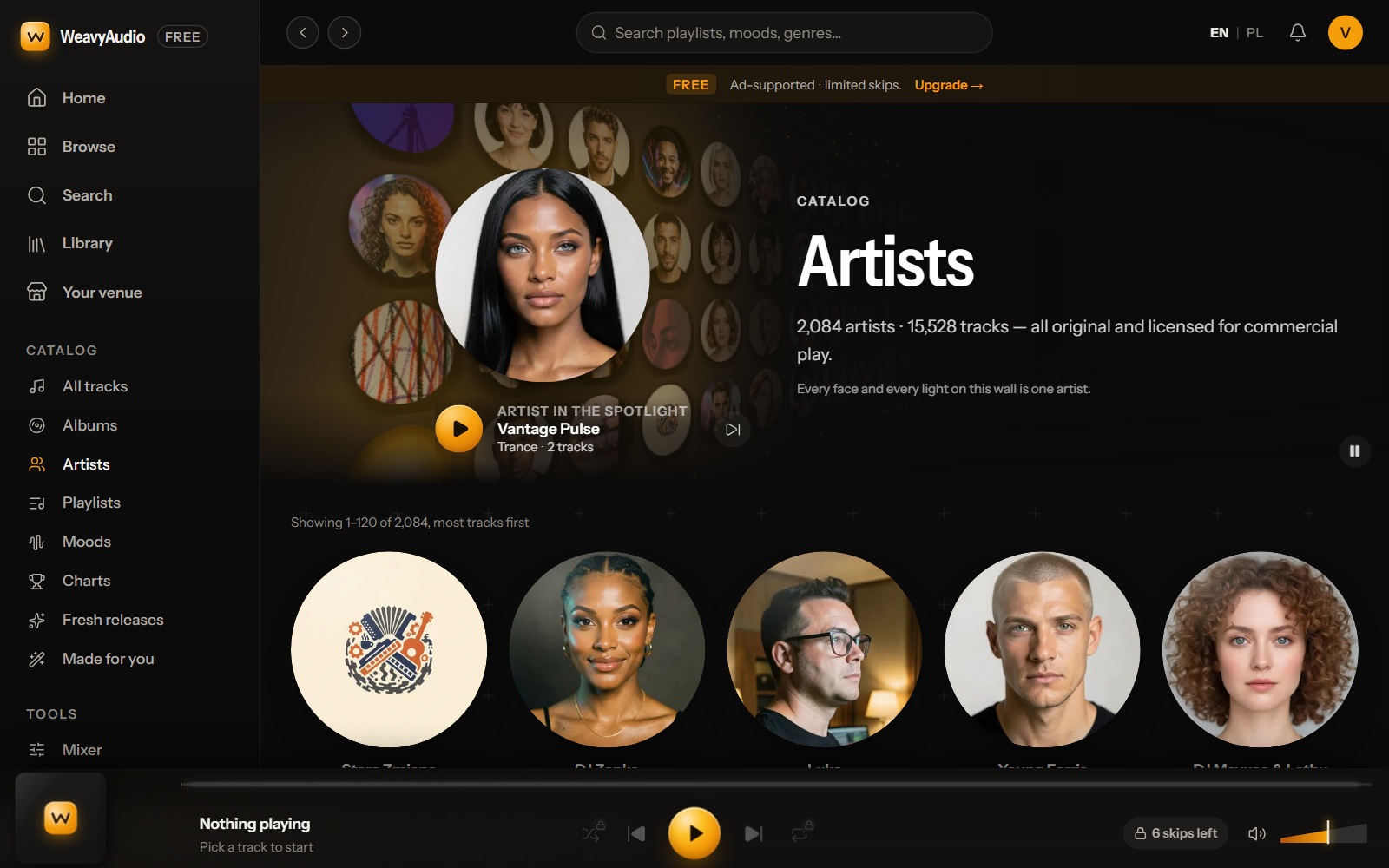
The Artists page opens with a wall of round portraits. One large portrait sits in front, under the label "Artist in the spotlight", with a play button and a next button. Here it shows Vantage Pulse, a Trance act with 2 tracks. The headline says "2,084 artists · 15,528 tracks", all original and licensed for commercial play.
The new side menu is on the left. Its Catalog group lists All tracks, Albums, Artists, Playlists, Moods, Charts, Fresh releases and Made for you. The current page has an amber icon, and the menu is the same on every page in this part.
Below the wall, artists are listed with the most tracks first: "Showing 1–120 of 2,084". The list starts with Stara Zmiana, DJ Zonke, Luka, Young Ferris and DJ Mavuso & Lethu. Tip: pick an act with a long track list. One artist with hundreds of songs can carry a whole evening in one style.
An Artist Page: Sound, Voice and Popular Songs
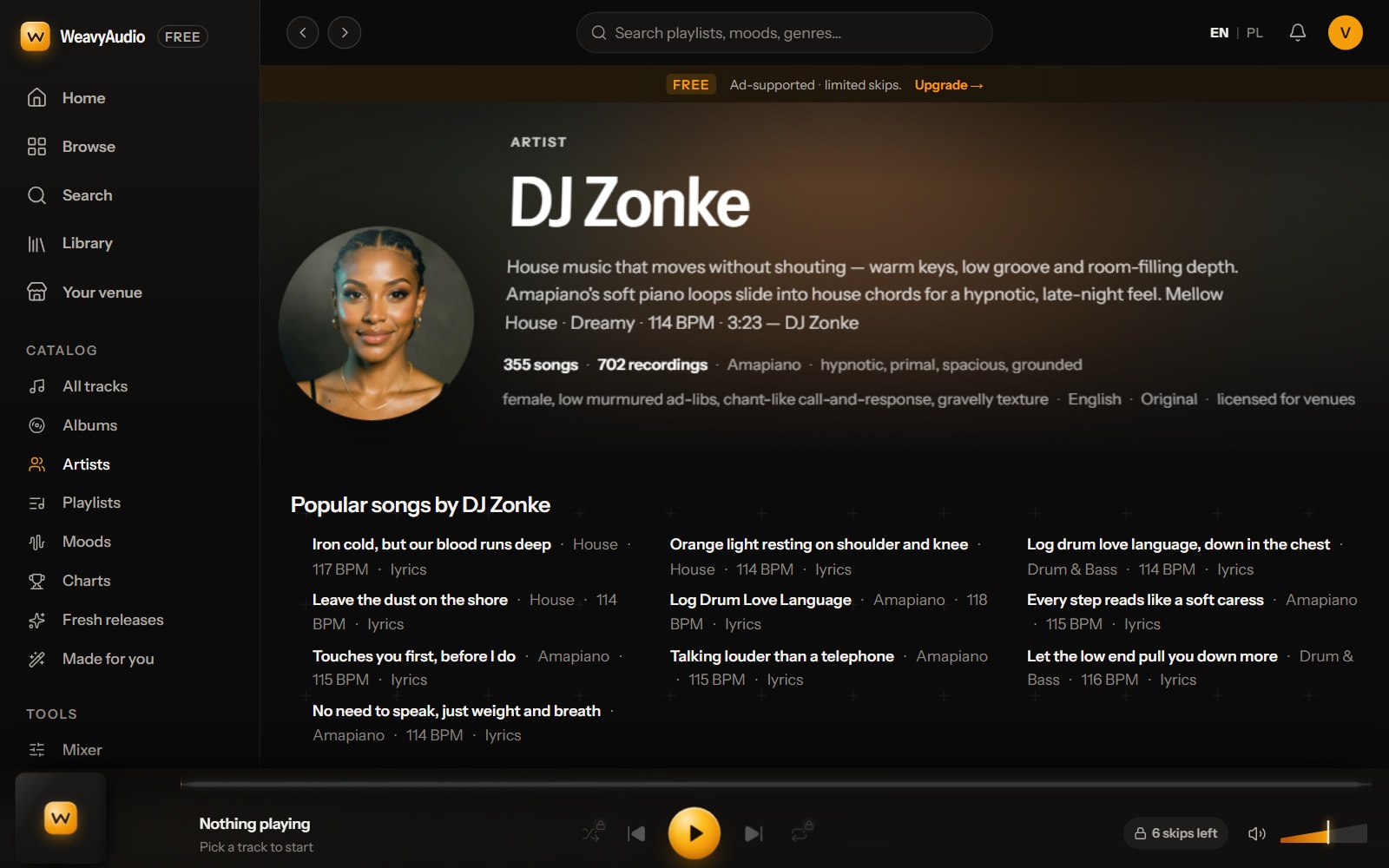
Artist pages give each act a home. The page for DJ Zonke has a round portrait on the left. On the right are the word "Artist", the name in large letters and a short text about the sound: warm keys, low groove and room-filling depth.
The line below shows "355 songs" and "702 recordings", then the main style, Amapiano, and four feel words: hypnotic, primal, spacious, grounded. Another line describes the voice, then English, "Original" and "licensed for venues". Songs and recordings are counted apart. A song can have more than one version, and the track page lists them.
The block "Popular songs by DJ Zonke" has three columns of titles, each with a genre, a BPM number and a "lyrics" mark. Lower down are mood tags (House, Mellow, Upbeat, Dreamy) and a list of all tracks, each with an "Open track page" link. Tip: when a guest likes one song, check the BPM next to each title to find songs with a similar speed.
Full Albums: One Artist, One Sound, One Cover World
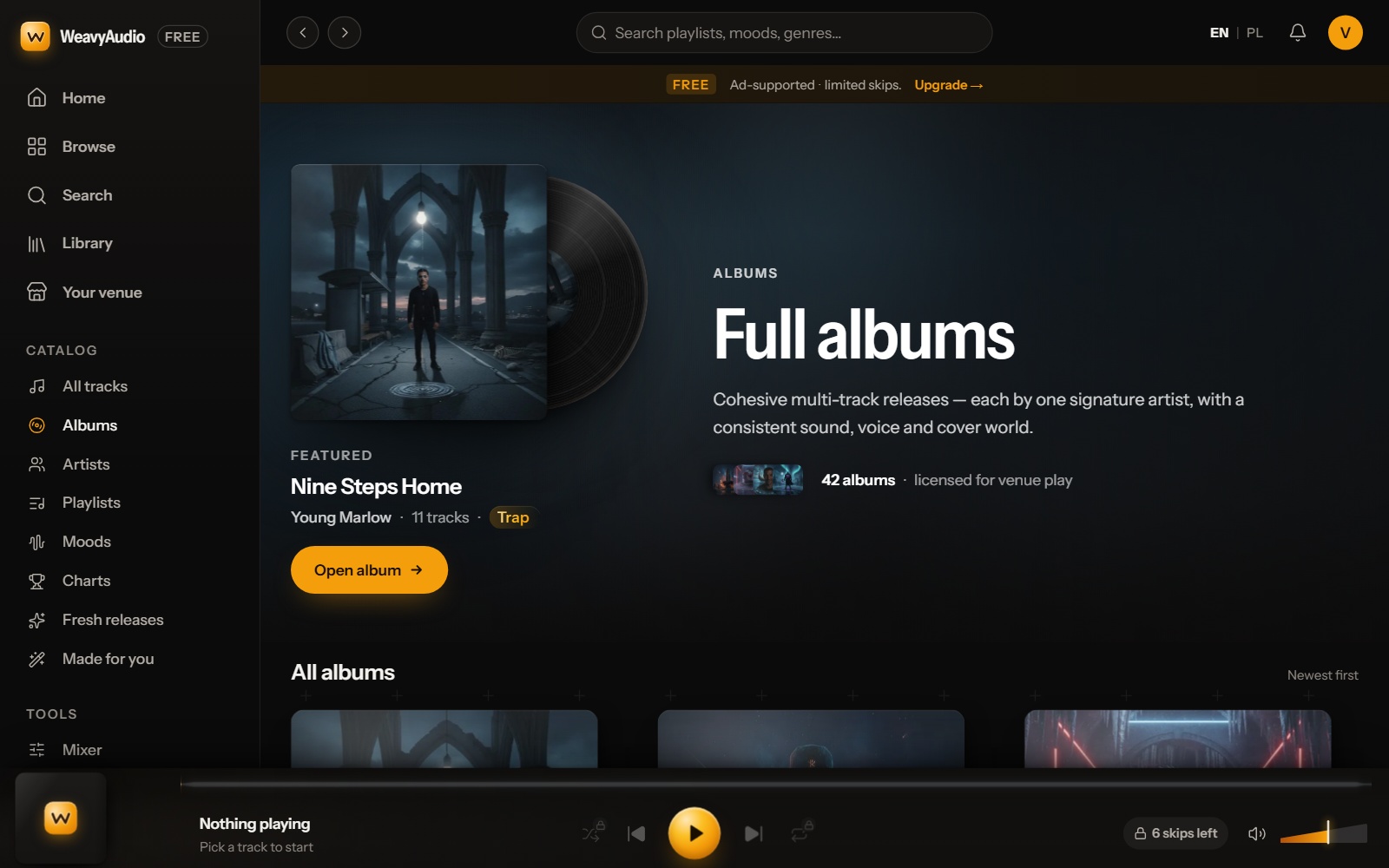
The Albums page opens with a featured release: Nine Steps Home by Young Marlow, 11 tracks, Trap. The cover sits in front of a black record, and an amber "Open album" button leads to the album page. The page explains an album as a multi-track release by one signature artist, with a consistent sound, voice and cover world. A small line shows "42 albums · licensed for venue play".
Under "All albums", sorted "Newest first", the albums appear as large cover tiles with title, artist, track count and genre. In the page text every album shows 11 tracks. Genres run from Trap and Synthwave to Techno, Afro House, Afrobeats, House, Pop and Indie.
For a venue, an album is an easy long block of music: one artist, one voice, one mood. A café can start one album for a slow morning and let it play. Artist pages, album pages and track pages are linked to one another, so a visitor can move between them without a search.
An Album Page: Cover, Tracklist and Liner Notes
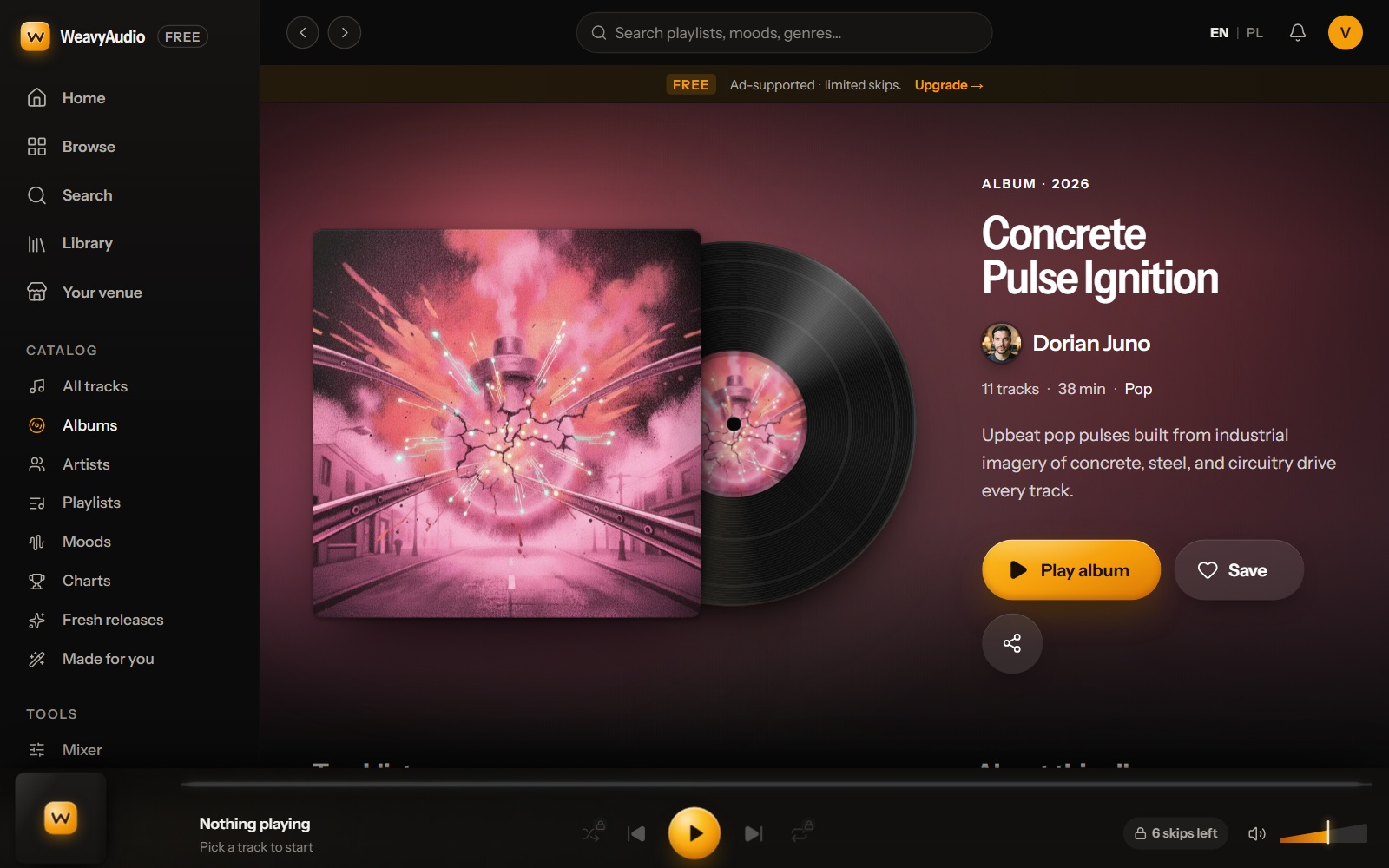
Every album has its own page. The page for Concrete Pulse Ignition by Dorian Juno has a background in the colors of the cover, a pink and red wash here. A black record slides out from behind the cover. Next to it are the label "Album · 2026", the title, the artist's small round photo and name, and the line "11 tracks · 38 min · Pop".
Three buttons follow a short description: an amber "Play album", "Save" with a heart and a round share button. Further down are a numbered tracklist with BPM and length, an "About this album" text that names places where it fits (gyms, retail floors, hotel lobbies, cafés) and "Liner notes" with year, artist, genre, mood, tempo range (133–139 BPM) and license: "For venue play".
At the bottom, a line invites you to play the album in your venue, with a 14-day free trial and no card required. The footer says the music is original music owned by WeavyAudio, so "no third-party PRO royalties" apply. Live music, DJ sets and TV with sound can still need separate licenses.
All Tracks: The Whole Catalog in One Sortable List
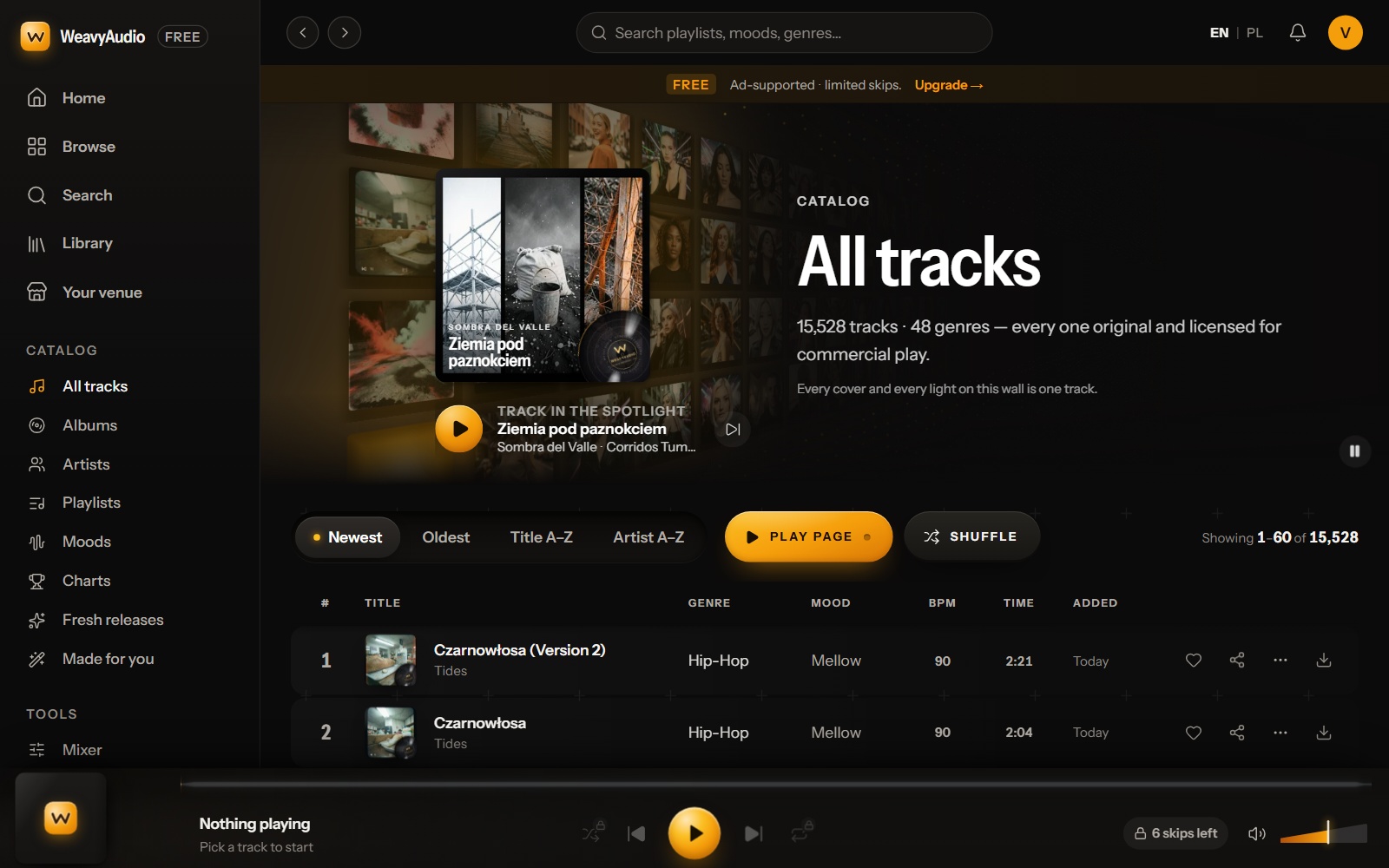
All tracks shows the full catalog in one list. The top has the same wall idea as the Artists page, now made of covers, with a large cover, the label "Track in the spotlight" and a play button. The headline reads "15,528 tracks · 48 genres", and every track is original and licensed for commercial play.
The control bar has four sort buttons: Newest (selected, with an amber dot), Oldest, Title A–Z and Artist A–Z. Beside them are "Play page" and "Shuffle" buttons and a counter: "Showing 1–60 of 15,528". The table has columns for title, genre, mood, BPM, time and added date. Each row ends with icons for like, share, more options and download.
This is the view for a manager who wants to see everything. The first rows say "Today" in the Added column, so Newest shows what arrived last. The list is paged, 60 tracks at a time, and the small covers are WebP thumbnails, which are light to load.
A Track Page: Big Cover, Lyrics That Follow the Audio
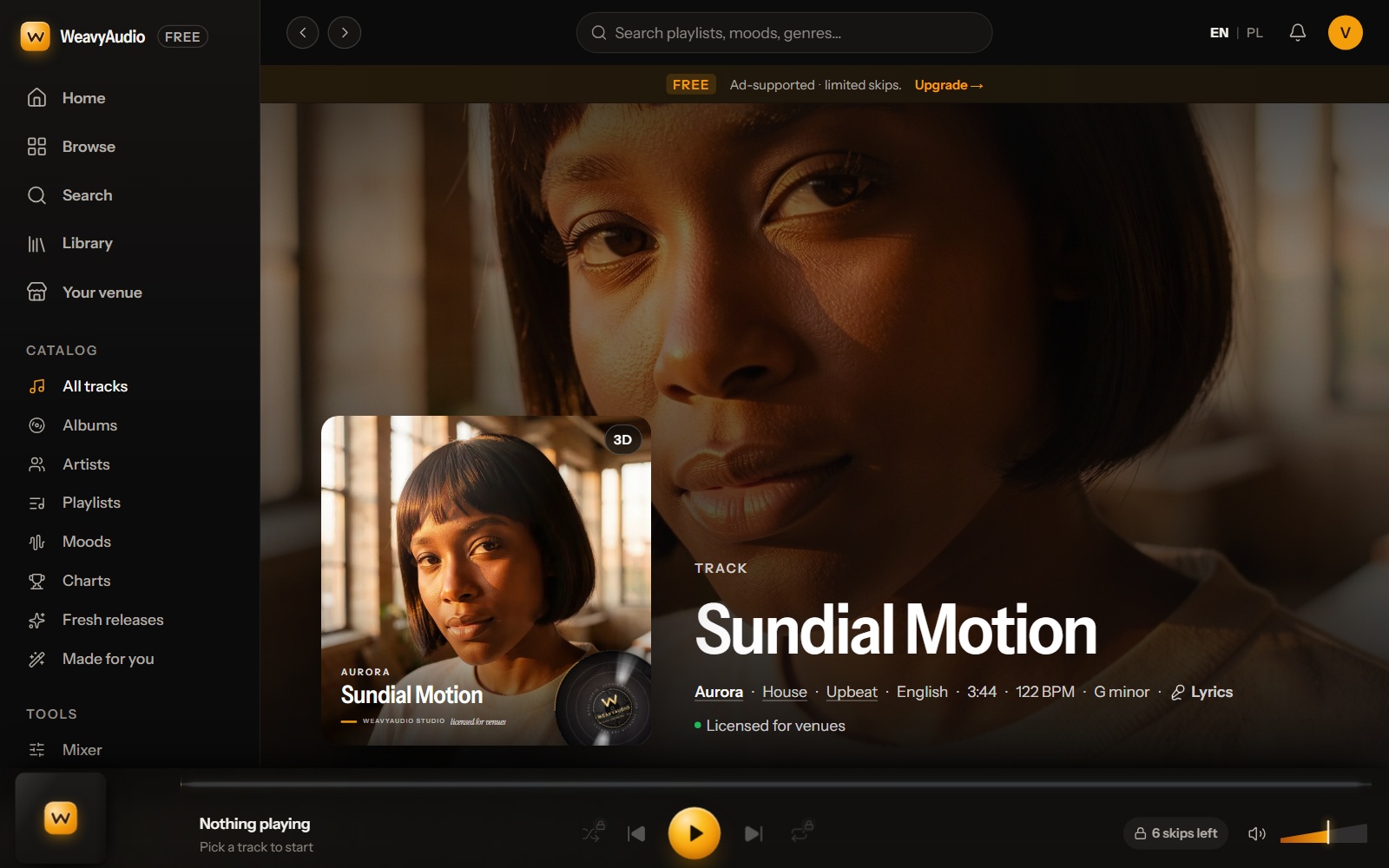
Every song has its own public page. The page for Sundial Motion by Aurora uses an enlarged cover as the whole background. In front is the cover card with a small "3D" badge and a black record. On the right are the label "Track", the title and one line of facts: Aurora, House, Upbeat, English, 3:44, 122 BPM, G minor. Artist, genre and mood are links. A green dot marks "Licensed for venues".
Lower on the page are a breadcrumb trail (Home, House music, Aurora, Sundial Motion) and synced lyrics marked "follows audio", with an "On" switch and a "Karaoke" button. The lyrics are split into Intro, Verse, Chorus and Bridge. Then come hashtags, the date added, an About text, the other versions of the song and more songs by Aurora.
A track page gives a listener lyrics, key and tempo in one place. Search engines get a page with clear text and many links. The site has an English and a Polish version, linked with hreflang tags; the EN | PL switch is in the top bar. Tip: use BPM and key to pick a song that fits after the one that is playing.
The Charts: A Jukebox With a Weekly Hot 20
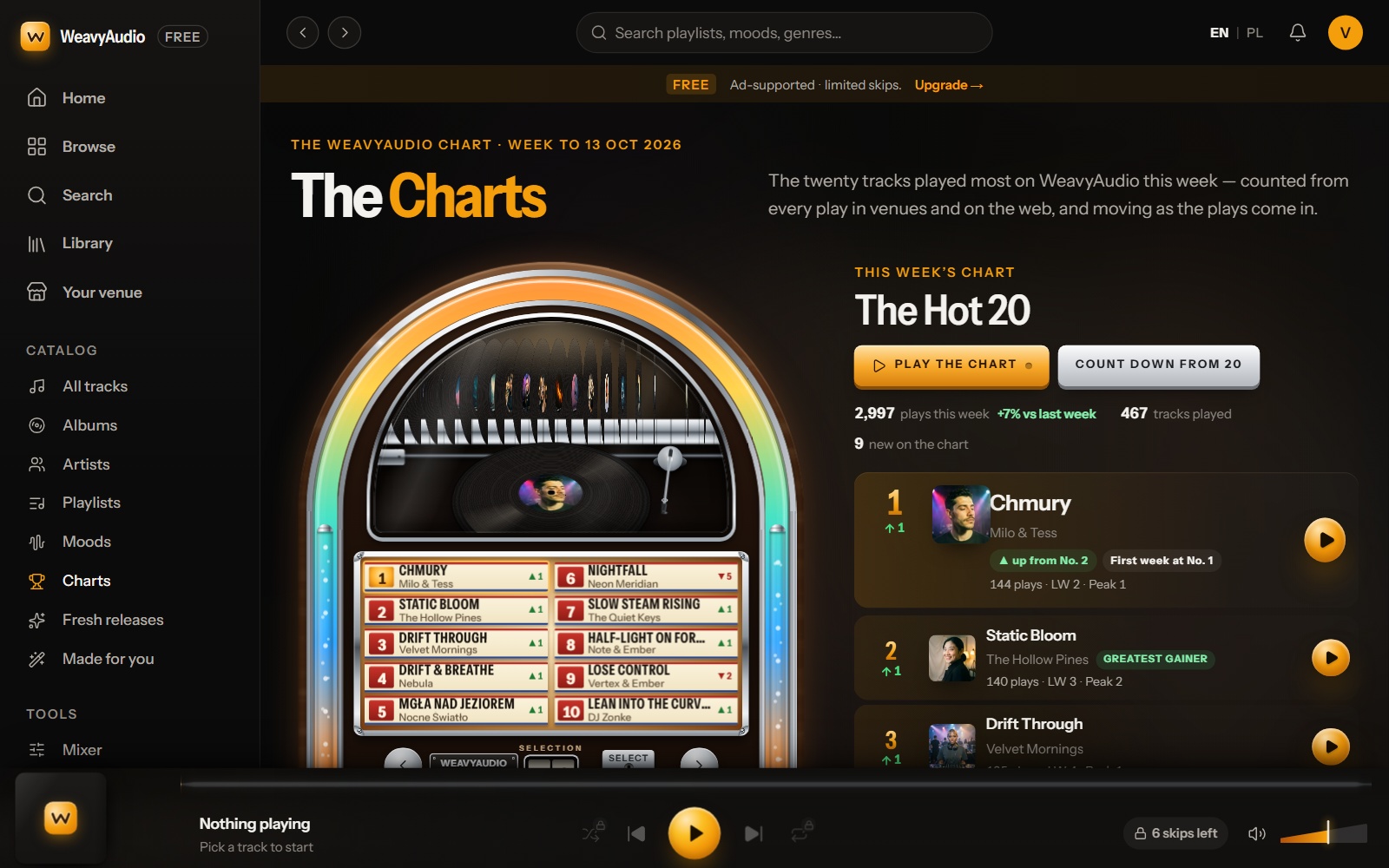
The Charts page is built around a jukebox. The label says "The WeavyAudio Chart · week to 13 Oct 2026", and the text says these are the twenty tracks played most on WeavyAudio this week, counted from every play in venues and on the web. In the jukebox a record sits on a turntable, and a small panel lists places 1 to 10 with arrows for up and down.
On the right the list is called "The Hot 20", with an amber "Play the chart" button and a "Count down from 20" button. Three figures follow: "2,997 plays this week", "467 tracks played" and "9 new on the chart". Number one is Chmury by Milo & Tess, marked "First week at No. 1", with "144 plays · LW 2 · Peak 1" (LW means last week).
A note at the bottom explains the counting: every play in the last seven days against the seven before. Children's music has its own shelf and stays off this chart. These music charts show a venue what listeners play most. Tip: press "Play the chart" at a quiet hour and watch which songs your guests react to.
Made for You: Starter Tapes on a Cassette Deck
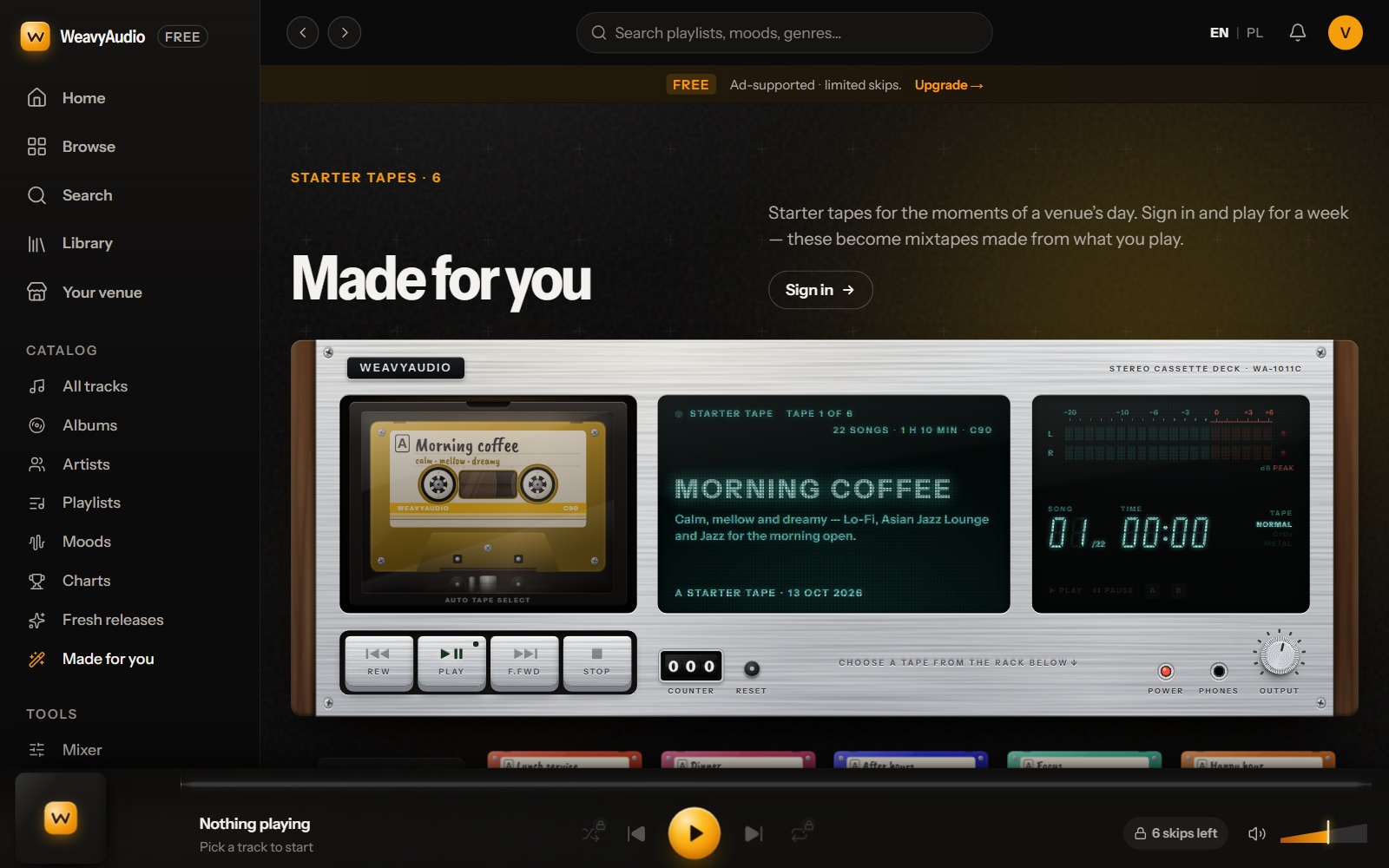
The Made for you page shows a stereo cassette deck with a cassette, a tape counter, level meters and the buttons Rew, Play, F.Fwd and Stop. The label says "Starter tapes · 6". The text calls them starter tapes for the moments of a venue's day. If you sign in and play for a week, they become mixtapes made from what you play. A "Sign in" button sits next to the heading.
In the screenshot the deck holds "Morning coffee": calm, mellow and dreamy, with Lo-Fi, Asian Jazz Lounge and Jazz for the morning open. The display reads "Tape 1 of 6" and "22 songs · 1 h 10 min". A rack under the deck holds the other tapes: Lunch service, Dinner, After hours, Focus and Happy hour.
The page says a starter tape is the same for every venue today. Tip: choose the tape that fits the time of day, Morning coffee at opening and Dinner in the evening, and press play. It is a fast start for a manager with no time to build a playlist.
Part 3 moves from the catalog to daily use in a venue: playlists, the schedule, pages for each type of business, the library, the mixer, games and custom orders. Part 5 puts the old and the new design side by side. If you missed Part 1, start there for the catalog and search.
Do you plan a custom web platform with a large catalog, a public page for every item or a music portal? Breeze Professional IT Services can design, build, host and maintain it. Contact us to talk about your project.
This project was designed, built and is hosted by our team. See the overview in Our Newest Project: WeavyAudio, the WeavyAudio project page and our other projects, or contact us about your own platform.
WeavyAudio feature series
- Part 1: WeavyAudio Case Study, Part 1: Catalog and Music Discovery in the New Design
- Part 2: WeavyAudio Case Study, Part 2: Artists, Albums and Tracks in the New Design (you are here)
- Part 3: WeavyAudio Case Study, Part 3: Music Tools for Venues in the New 2026 Design
- Part 4: WeavyAudio Case Study, Part 4: Pricing, Licensing and Weavy Studio in the New Design
- Part 5: WeavyAudio Case Study, Part 5: The New Design, Before and After