

WeavyAudio is a service that provides royalty-free background music for venues such as cafés, gyms, retail stores, restaurants, hotels and salons. Our team at Breeze Professional IT Services designed, built, hosts and maintains the platform, from the first layout to the server it runs on. This four-part series walks through the product one feature at a time, with a screenshot of each, so local business owners can see what the service does and anyone considering a custom web platform or their own music streaming platform can see what a project like this involves.
Part 1 covers the catalog and how people find music in it: the landing page, the in-app home screen, genre and mood browsing, search, a random picker, the fresh releases feed and the mobile layout. The whole catalog is original music, so a venue plays it for one flat fee with no PRO royalties due on WeavyAudio music. The app itself is a Next.js application backed by MariaDB, running under PM2 behind Apache on a Debian server we manage.
A Landing Page That Explains the Offer in Seconds
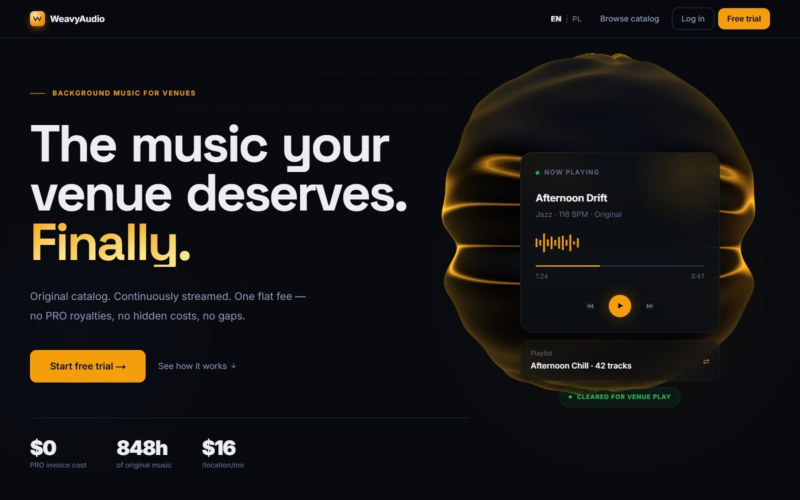
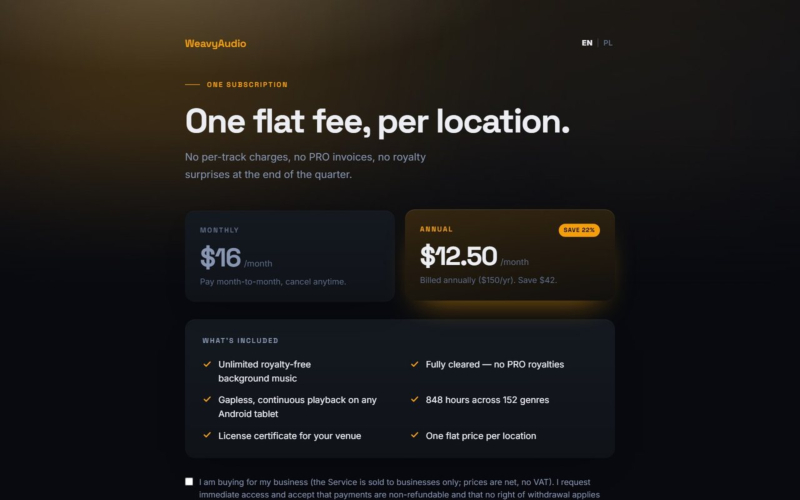
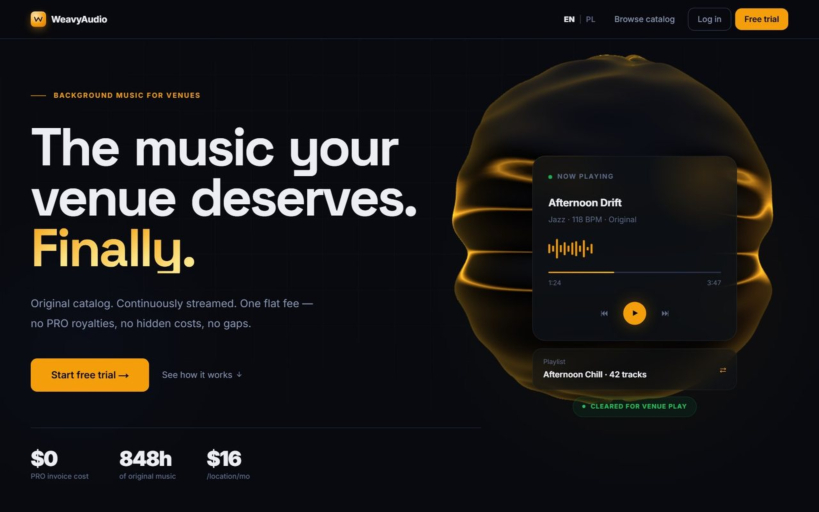
The first thing a visitor sees on WeavyAudio is a one-line promise, "The music your venue deserves. Finally.", followed by the core offer: an original catalog, continuously streamed, for one flat fee with no PRO royalties, no hidden costs and no gaps. Three figures sit right under the call to action: $0 PRO invoice cost, 848h of original music and $16 per location per month.
On the right, a "Now playing" card shows a sample track (Afternoon Drift, Jazz, 118 BPM) with a progress bar, player controls, the playlist it belongs to and a green "Cleared for venue play" badge. Further down, the same page explains how the service works, compares it with licensed-music providers and lists pricing, including a 14-day free trial with no card required.
Behind the scenes we treated speed as a feature: the home page reaches Largest Contentful Paint in under two seconds, and cover art is served as compressed WebP thumbnails.
Original Artists, Each With a Face
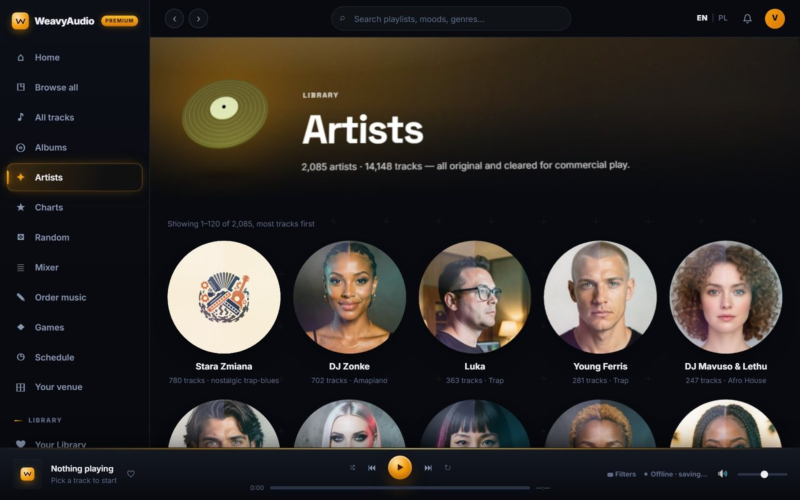
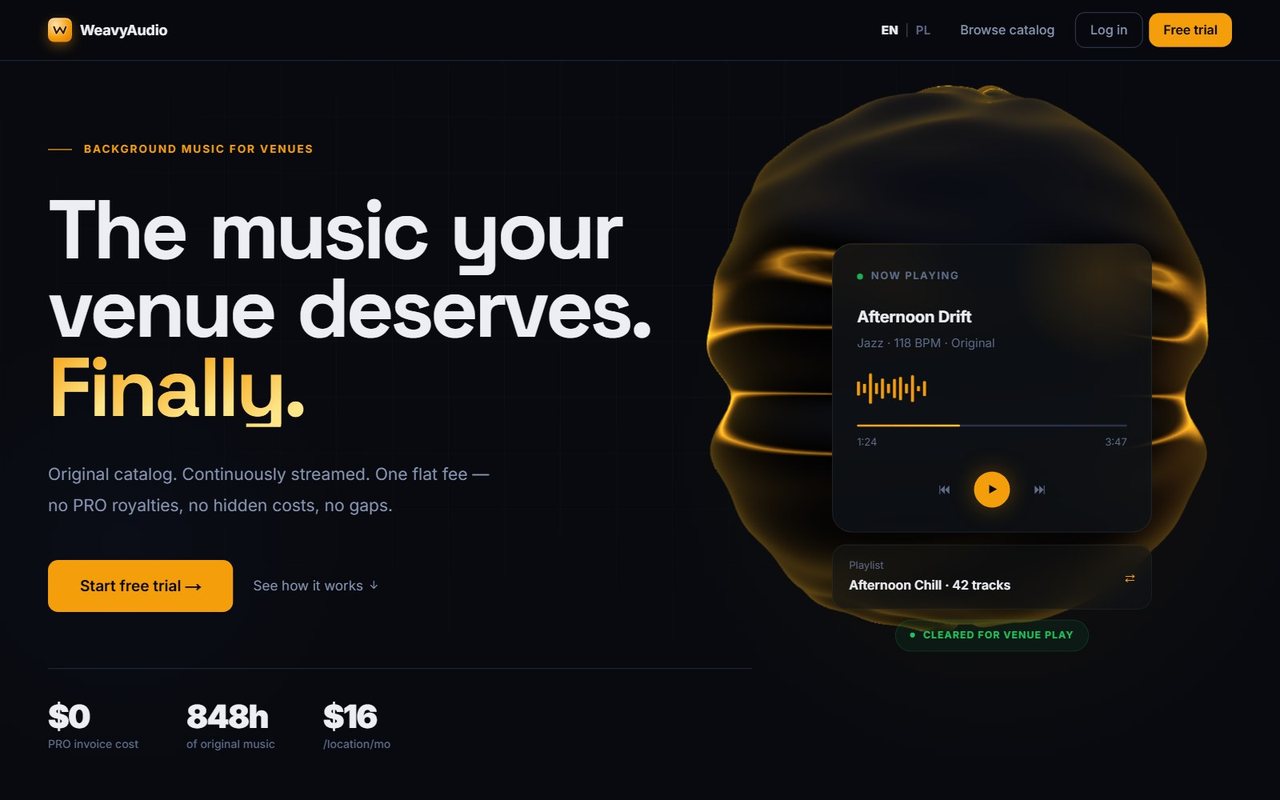
Further down the landing page, a section titled "Every act has a face" introduces the catalog's original artists. Seven portrait cards sit in a row: The Glasshouse, Cass Cipher, Thando Skies, The Avenues, Kwenzo, Skhokho and Paper Moth. Each card pairs a name with its own photo, and the line under the heading sums up the idea: original artists across genres, each with its own face, voice and cover art.
For a venue owner, this matters more than it might seem. Background music without identity tends to feel like a stock library. Giving every act a consistent look and sound makes the catalog feel like a real roster you can browse, follow and come back to, which is the experience people already know from consumer streaming apps.
The same artist cards appear again on the home screen inside the app, so the design stays consistent wherever a visitor first meets the roster.
The In-App Home Screen: Your Venue Soundtrack
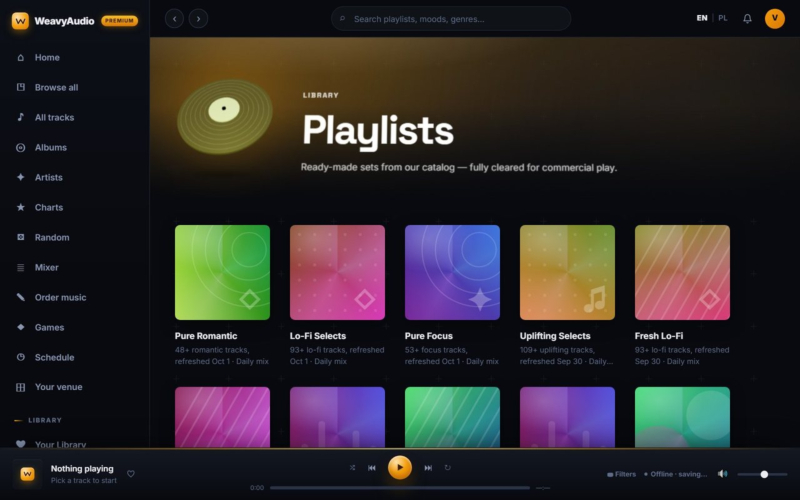
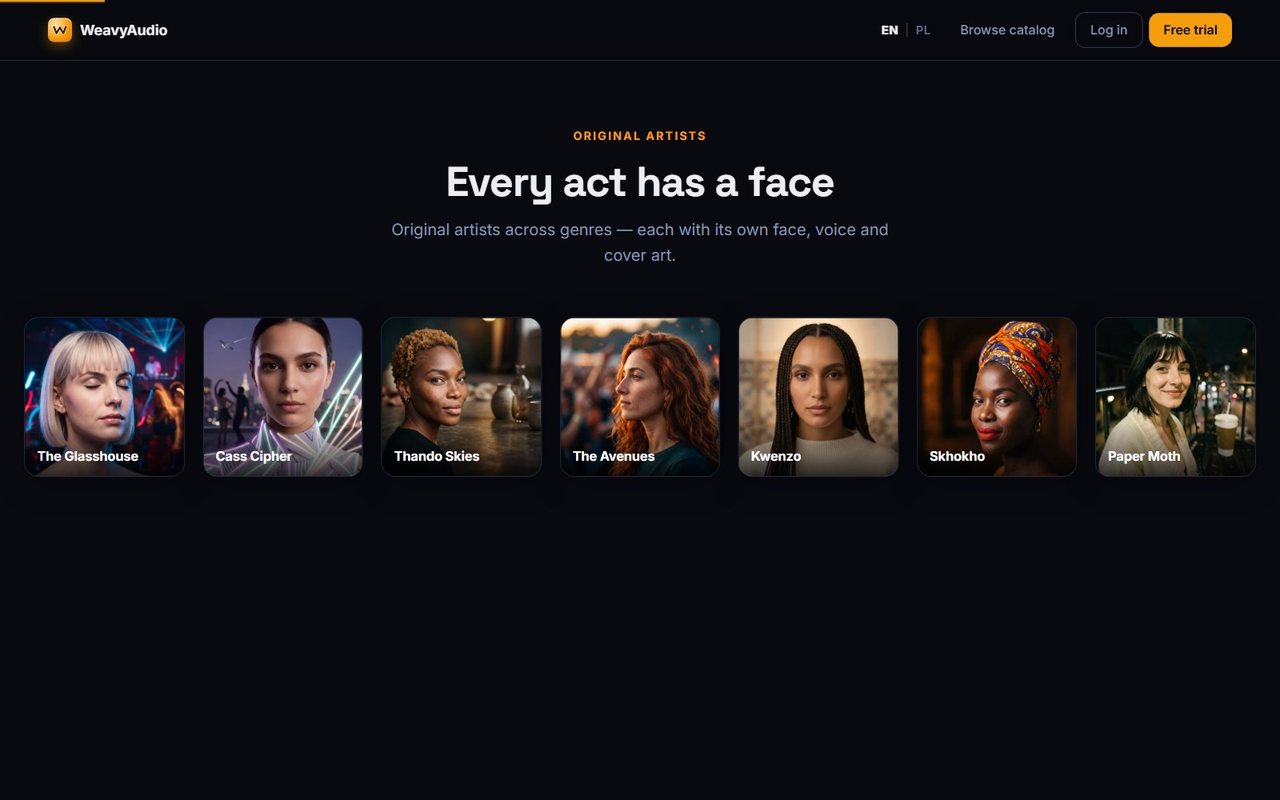
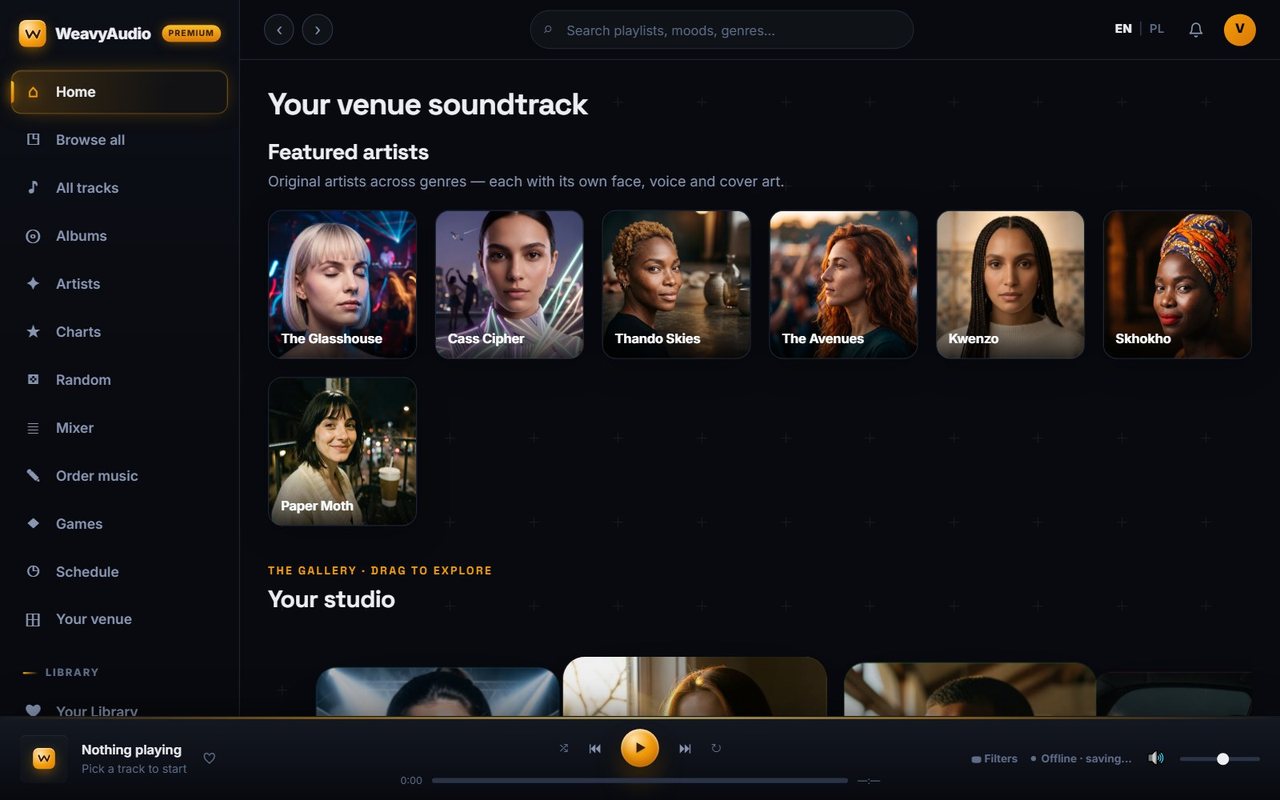
Once inside WeavyAudio, the home screen is titled "Your venue soundtrack". It opens with Featured artists, then a gallery called "Your studio" that you drag to explore, and a "Fresh from the studio" list of the newest tracks. A left sidebar keeps every part of the app one click away: Home, Browse all, All tracks, Albums, Artists, Charts, Random, Mixer, Order music, Games, Schedule and Your venue, plus a Library group with Your Library, Made for you, Playlists, Moods and Fresh releases.
A search field sits at the top, with an EN/PL language switch and a notification bell beside it. The player is pinned to the bottom of the screen, so music keeps going while you move between pages. Its status bar shows "Offline · saving…", because the player stores tracks on the device through a service worker and can keep playing if the connection drops. A Filters control sits next to it for narrowing what plays.
Browse All: Every Genre in One Grid
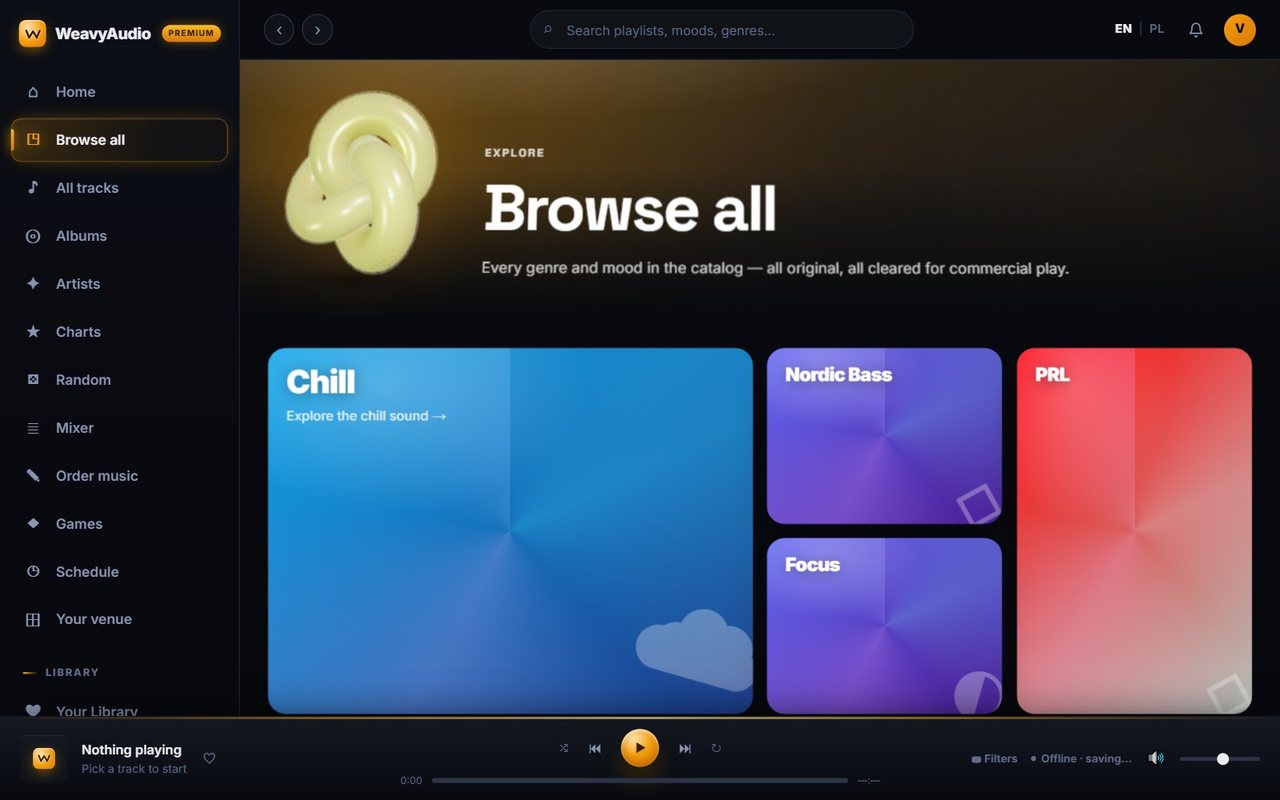
The Browse all page lists every genre and mood in the catalog as large color tiles, under the line "all original, all cleared for commercial play." The screenshot shows the top of the grid with Chill, Nordic Bass, Focus and PRL, and the full page continues through Jazz, Lo-Fi, Ambient, Acoustic, Electronic, Upbeat Retail, Dinner, Workout, Late Night, Morning, Classical, House, Deep House, Bossa Nova, Spa, Lounge, Latin, Coffeehouse, Kids & Fairy Tale and more.
Some tiles carry a short invitation such as "Explore the chill sound", which leads to a dedicated genre page. The list mixes musical genres with practical venue categories like Dinner, Workout, Upbeat Retail and Coffeehouse, so an owner can start from what the room needs rather than from music terminology.
Each tile has its own color gradient and icon, so the grid is easy to scan on a desktop screen or on a tablet behind the counter.
Genre Pages Written for Real Venues
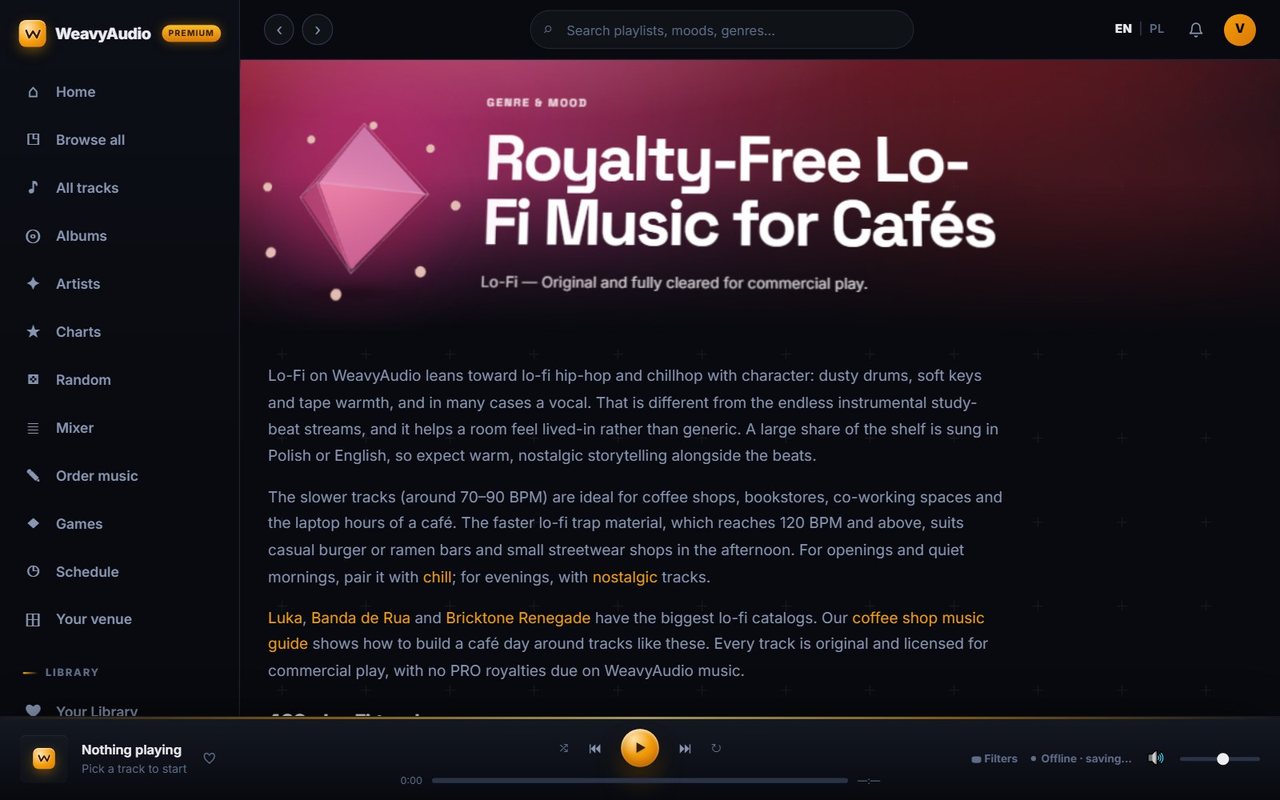
Every genre has its own landing page. The Lo-Fi page, for example, is titled "Royalty-Free Lo-Fi Music for Cafés" and opens with a written guide rather than a bare list. It explains what lo-fi on WeavyAudio sounds like (dusty drums, soft keys, tape warmth and often a vocal, much of it sung in Polish or English) and which tempos suit which businesses: slower tracks around 70 to 90 BPM for coffee shops, bookstores and co-working spaces, and faster lo-fi trap at 120 BPM and above for casual burger or ramen bars and small streetwear shops.
The text links to related moods, to the artists with the biggest lo-fi catalogs and to a coffee shop music guide. Below the guide, the page lists the tracks themselves, more than 460 of them for Lo-Fi.
These genre pages do double duty: they help a café owner choose, and they give search engines specific, useful content. They are part of roughly 16,000 URLs we publish in the site's XML sitemaps, alongside an image sitemap for cover art.
Moods: Start From a Feeling
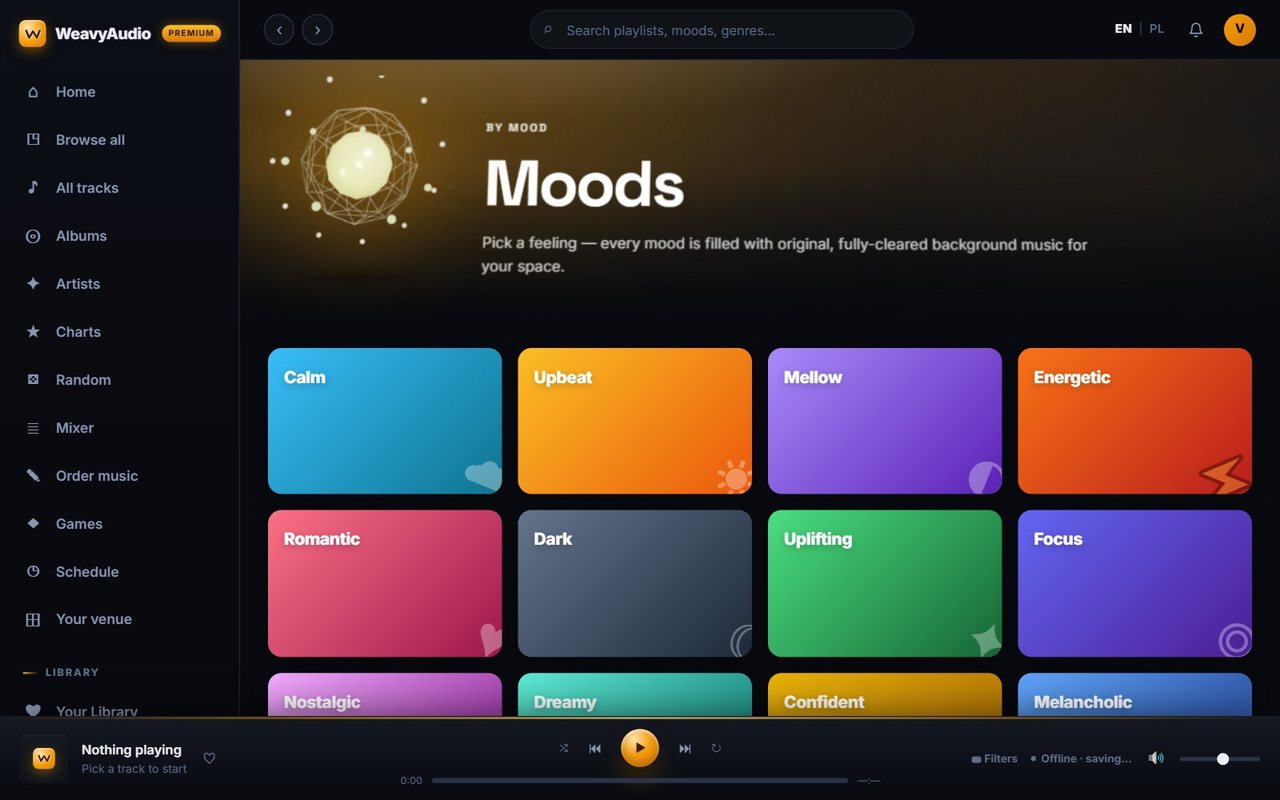
Not everyone thinks in genres. The Moods page lets a venue pick a feeling instead, and every mood is filled with original, fully cleared background music. Twelve colored tiles cover the range: Calm, Upbeat, Mellow, Energetic, Romantic, Dark, Uplifting, Focus, Nostalgic, Dreamy, Confident and Melancholic.
This kind of mood browsing is useful for staff who are not music specialists. A manager opening a spa in the morning can tap Calm, a gym before the evening rush can tap Energetic, and a wine bar later at night might reach for Romantic or Dreamy. Each track in the catalog carries a mood tag next to its genre, tempo and length, which is what makes this page possible.
The same mood labels appear in track lists across the app, so once a manager learns them here, they can read any list at a glance and know what a track will feel like before pressing play.
Catalog Search That Reads the Track Details
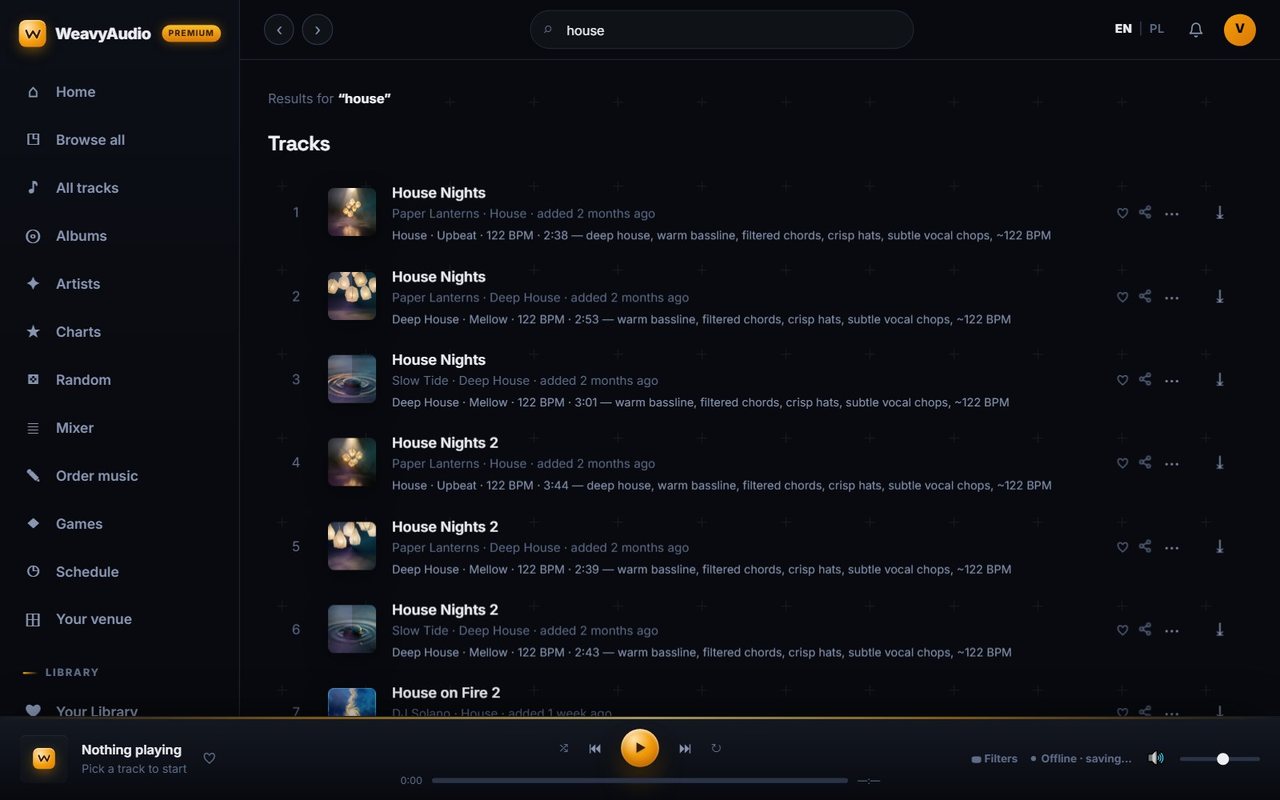
The search field at the top of every screen accepts free text, and its placeholder suggests searching playlists, moods and genres. In the screenshot, a catalog search for "house" returns a numbered list of tracks such as House Nights, House Nights 2 and House on Fire 2. Each result shows the cover thumbnail, the artist, the genre and when it was added, followed by a detail line with genre, mood, tempo in BPM, length and a short sound description, for example "warm bassline, filtered chords, crisp hats, subtle vocal chops".
On the right of every row are icons to like the track, share it, open more options and download it. That descriptive line is what makes search useful for a business: an owner can look for a style or an instrument, not only a song title they already know.
The results include both House and Deep House tracks for the same query, so a broad word still brings up the related styles in one list.
Random: Roll the Dice on the Catalog
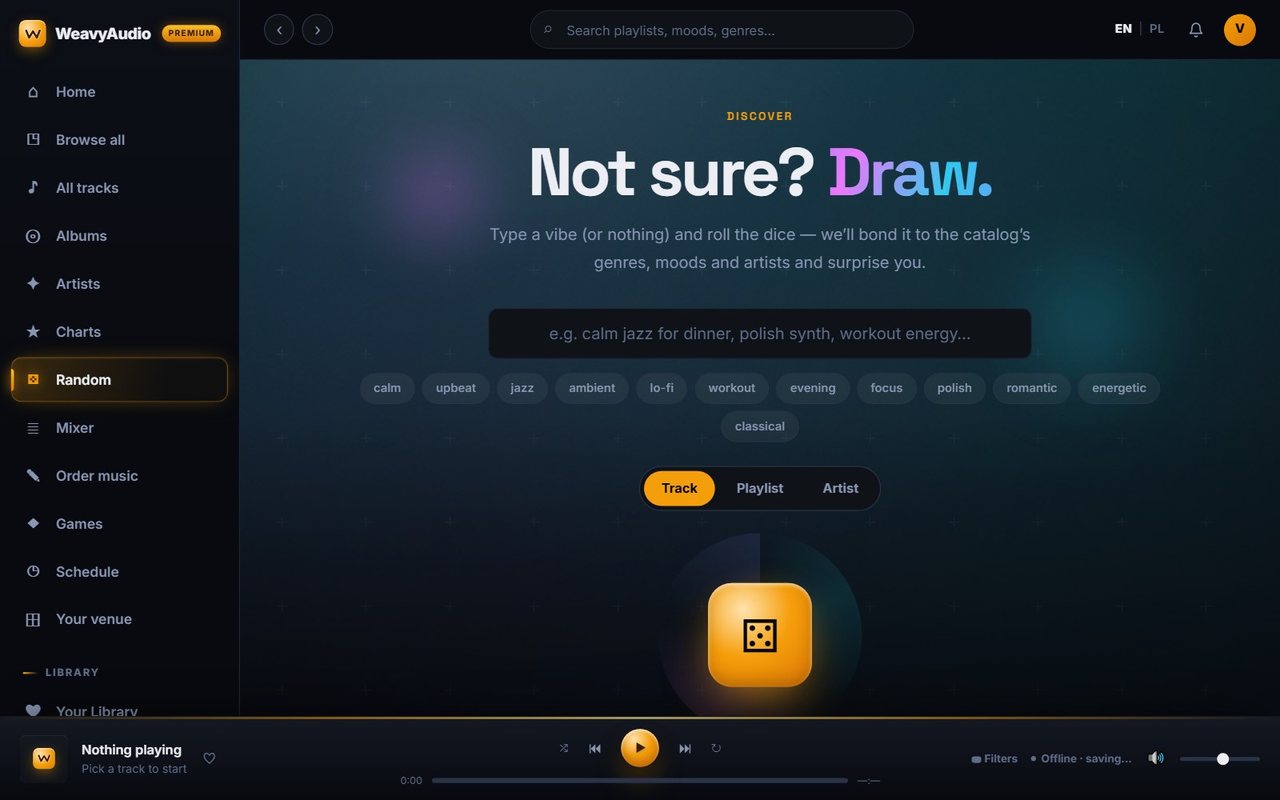
For the moments when nobody knows what to play, the Random page offers a simple prompt: "Not sure? Draw." You can type a vibe, such as calm jazz for dinner or workout energy, or leave the field empty, then roll the dice. The page matches the idea to the catalog's genres, moods and artists and surprises you with a result.
Quick chips under the field fill in common starting points: calm, upbeat, jazz, ambient, lo-fi, workout, evening, focus, polish, romantic, energetic and classical. A three-way switch decides what you draw: a single Track, a whole Playlist or an Artist. A large dice button labeled "Tap to draw" does the rest.
It is a small feature, but it solves a real problem in a busy venue: staff can change the music in one tap without scrolling through a catalog of thousands of tracks, and the result still comes from fully cleared music.
Fresh Releases: New Music Every Week
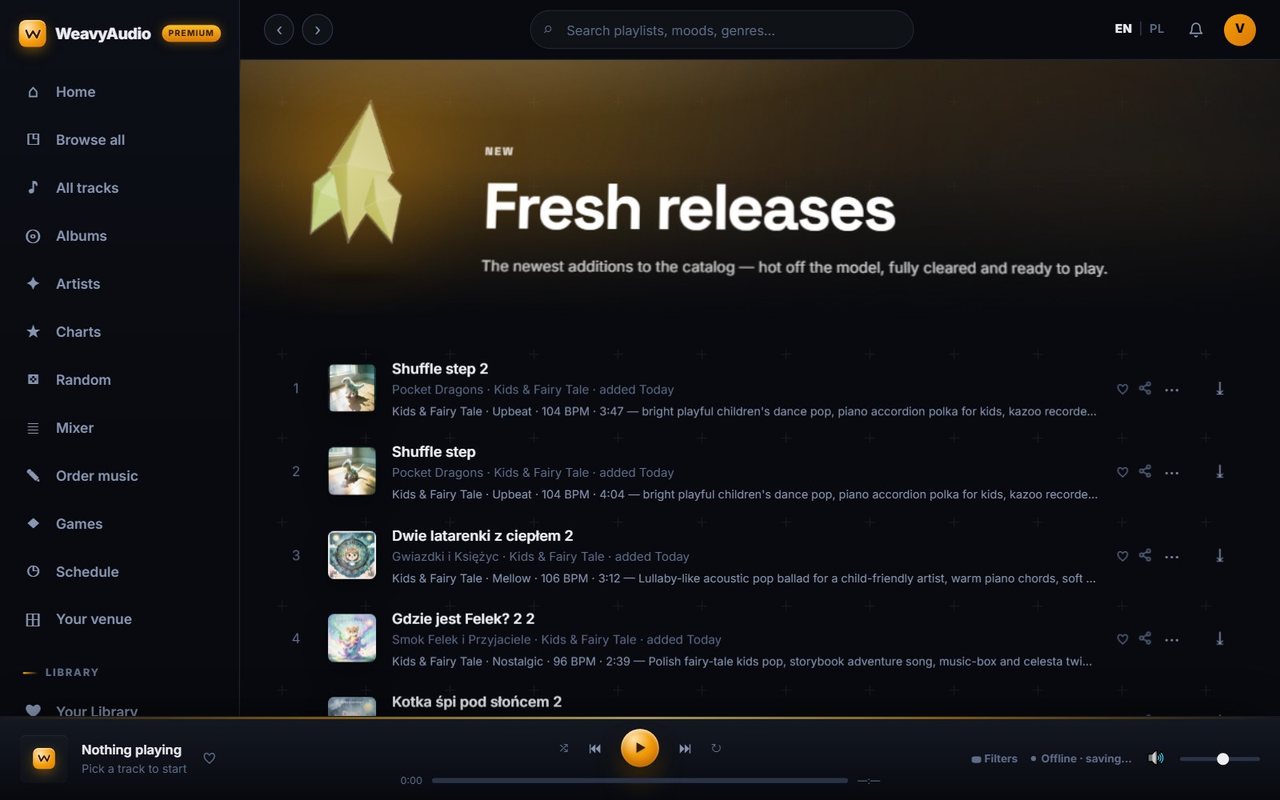
The catalog is not static. The Fresh releases page lists the newest additions, described as "hot off the model, fully cleared and ready to play." On the day of the screenshot, the top of the list was all marked "added Today": two versions of Shuffle step by Pocket Dragons and several Polish children's songs, all in the Kids & Fairy Tale category.
Each row follows the same pattern used across the app: cover, title, artist, category, how long ago it was added, and a detail line with mood, BPM, length and a description of the sound. The landing page sets the expectation that new tracks land every week with no curation work on the venue's end, and this page is where they show up first.
For returning users, fresh releases are the quickest way to hear what changed since their last visit. The app's home screen repeats the top of this feed under "Fresh from the studio".
A Mobile-Friendly Layout That Keeps the Essentials
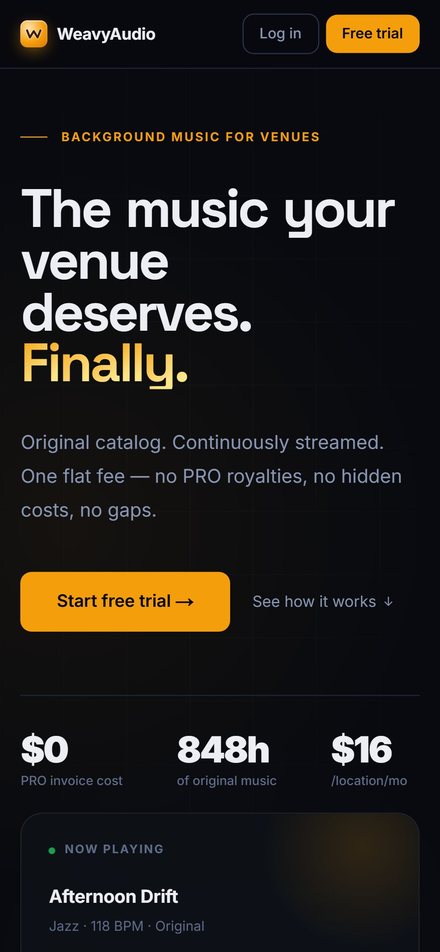
Many owners will first open WeavyAudio on a phone, so the landing page has a mobile-friendly layout. On a small screen, the header shrinks to the logo with Log in and Free trial buttons. The headline, "The music your venue deserves. Finally.", stacks over four lines, and the description of the offer stays fully readable.
The large Start free trial button and the "See how it works" link stay near the top, followed by the same three figures as on desktop: $0 PRO invoice cost, 848h of original music and $16 per location per month. The "Now playing" card moves below them instead of sitting to the side.
Nothing important is hidden on mobile. It is simply reordered so that the offer, the price and the call to action come first. The full page, including pricing and the comparison with other services, continues below as the visitor scrolls, and the same content is available in English and Polish.
That covers how visitors find music on WeavyAudio. In Part 2 we look at artists, albums and individual tracks, including artist pages, album pages, track pages with synced lyrics and the charts.
If your business needs a custom web platform, a music-streaming-style portal or a fast, well-built website, Breeze Professional IT Services can design, build, host and maintain it for you. Contact us to talk about your project.
This project was designed, built and is hosted by our team. See the overview in Our Newest Project: WeavyAudio, the WeavyAudio project page and our other projects, or contact us about your own platform.
WeavyAudio feature series
- Part 1: WeavyAudio Case Study, Part 1: Catalog and Music Discovery (you are here)
- Part 2: WeavyAudio Case Study, Part 2: Artists, Albums and Tracks
- Part 3: WeavyAudio Case Study, Part 3: Music Tools for Venues
- Part 4: WeavyAudio Case Study, Part 4: Licensing, Pricing and Weavy Studio


