
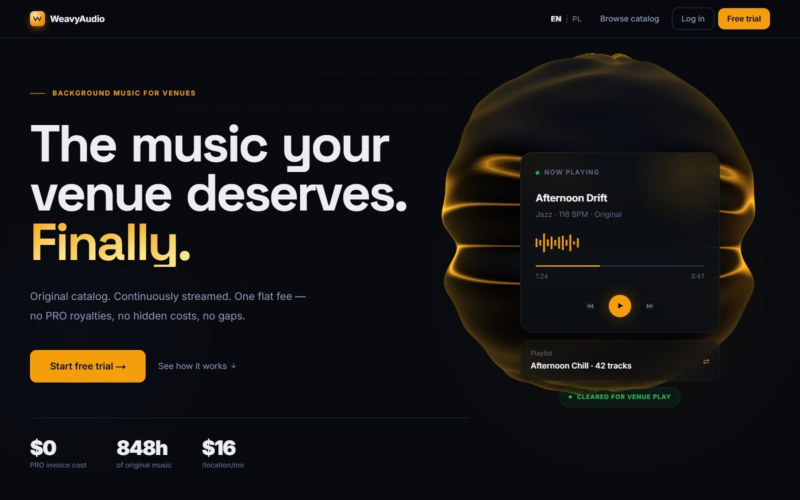
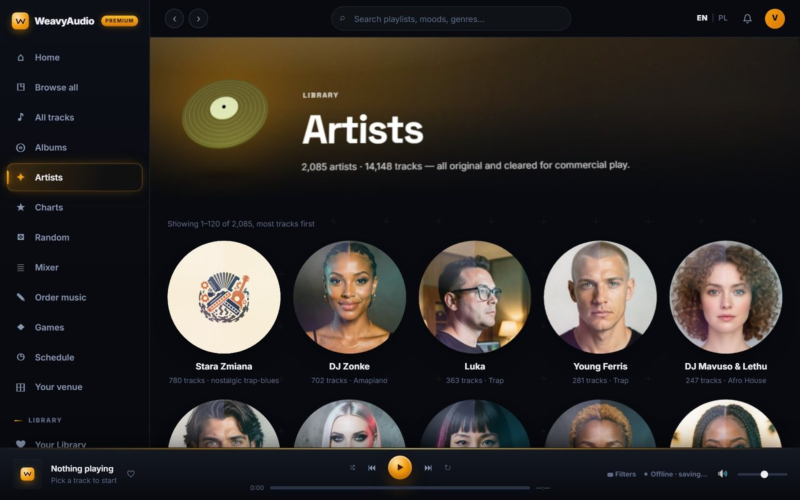

The first two parts of this series covered the WeavyAudio catalog: how people find music, and how artists, albums and tracks are presented. Part 3 is about what happens next, inside a café, restaurant, gym or shop that plays the music all day. WeavyAudio is a royalty-free background music platform that our team at Breeze Professional IT Services designed, built, hosts and maintains.
The features below are the practical tools a venue uses: ready-made playlists, the playlist page with sharing, a music schedule that switches playlists by time of day, guides for each type of business, the restaurant guide in detail, a personal library, a mixer with EQ and an A–B loop, music games and a form to order a custom track. Throughout the app, the player is built to keep going if the internet connection drops: a service worker saves tracks on the device, and the status bar shows this as "Offline · saving…".
Ready-Made Playlists, Refreshed Daily
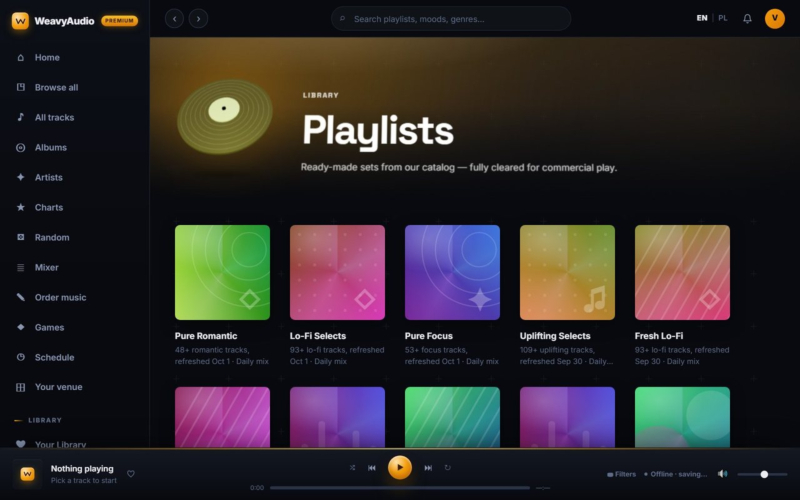
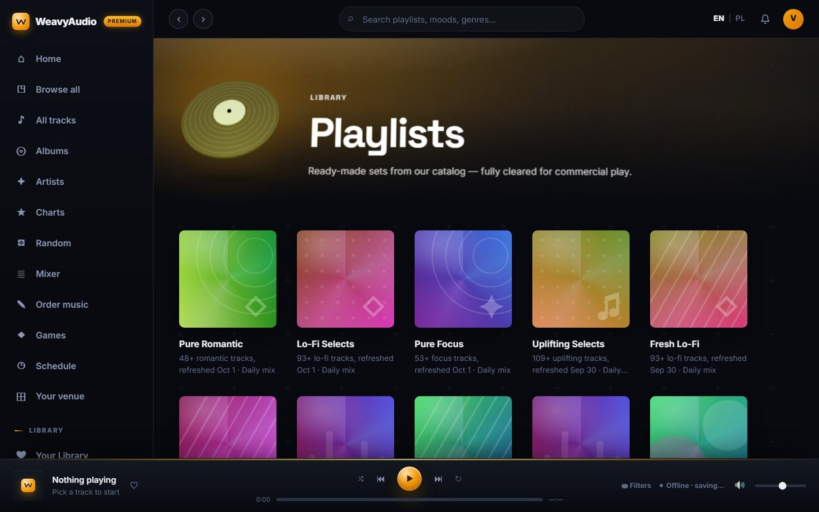
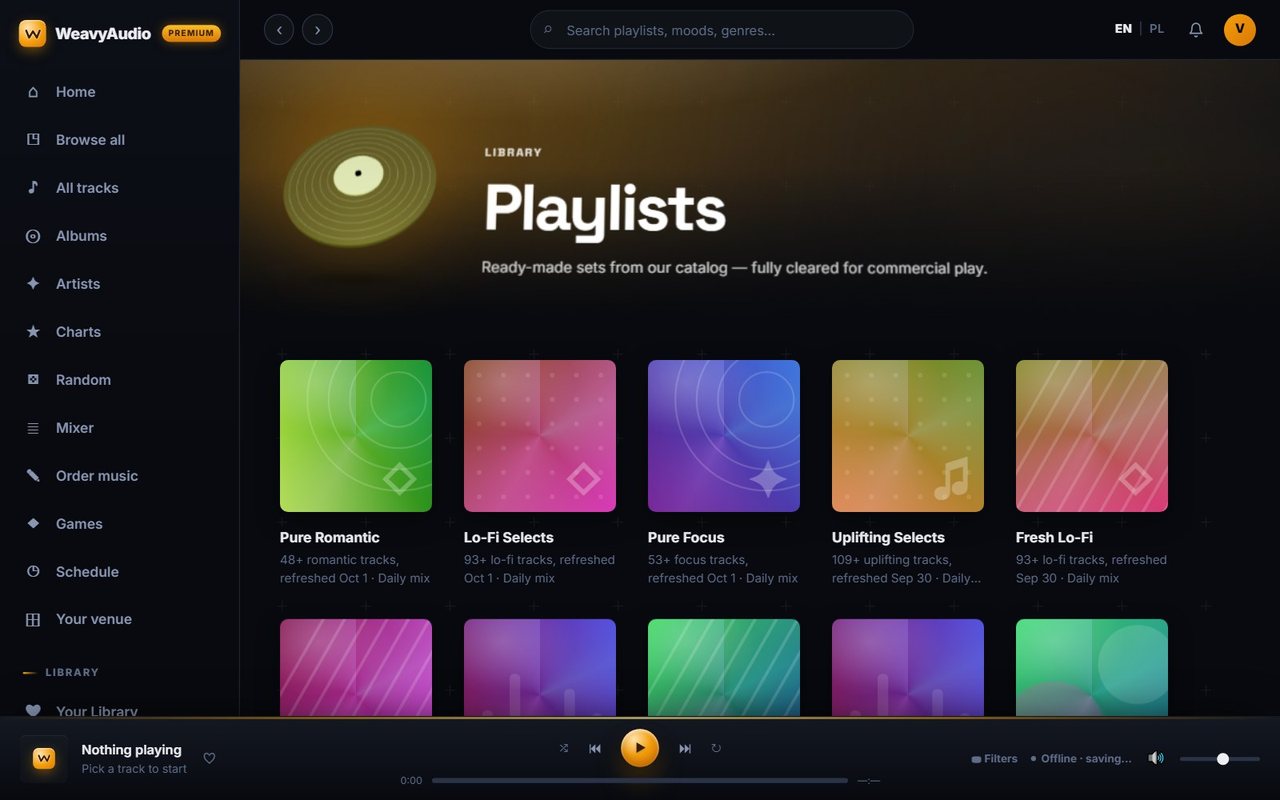
The Playlists page offers "ready-made sets from our catalog", all fully cleared for commercial play. The first row in the screenshot shows Pure Romantic, Lo-Fi Selects, Pure Focus, Uplifting Selects and Fresh Lo-Fi, each with a colorful cover, a track count and a refresh date, for example "48+ romantic tracks, refreshed Oct 1 · Daily mix".
Further down, alongside more daily mixes such as Dark Selects, In the Mellow Zone and Calm Vibes, there are playlists built around specific spaces, some of them described in Polish: a hotel lobby lounge, a garden or terrace at summer sunset, office focus, a brewery and pub, and a calm waiting room.
Daily mixes address a common complaint about background music: hearing the same songs every day. Because these sets are refreshed regularly, a venue can leave a playlist running for weeks and still get variety, without anyone on staff curating it by hand.
Playlist Pages With One-Click Sharing
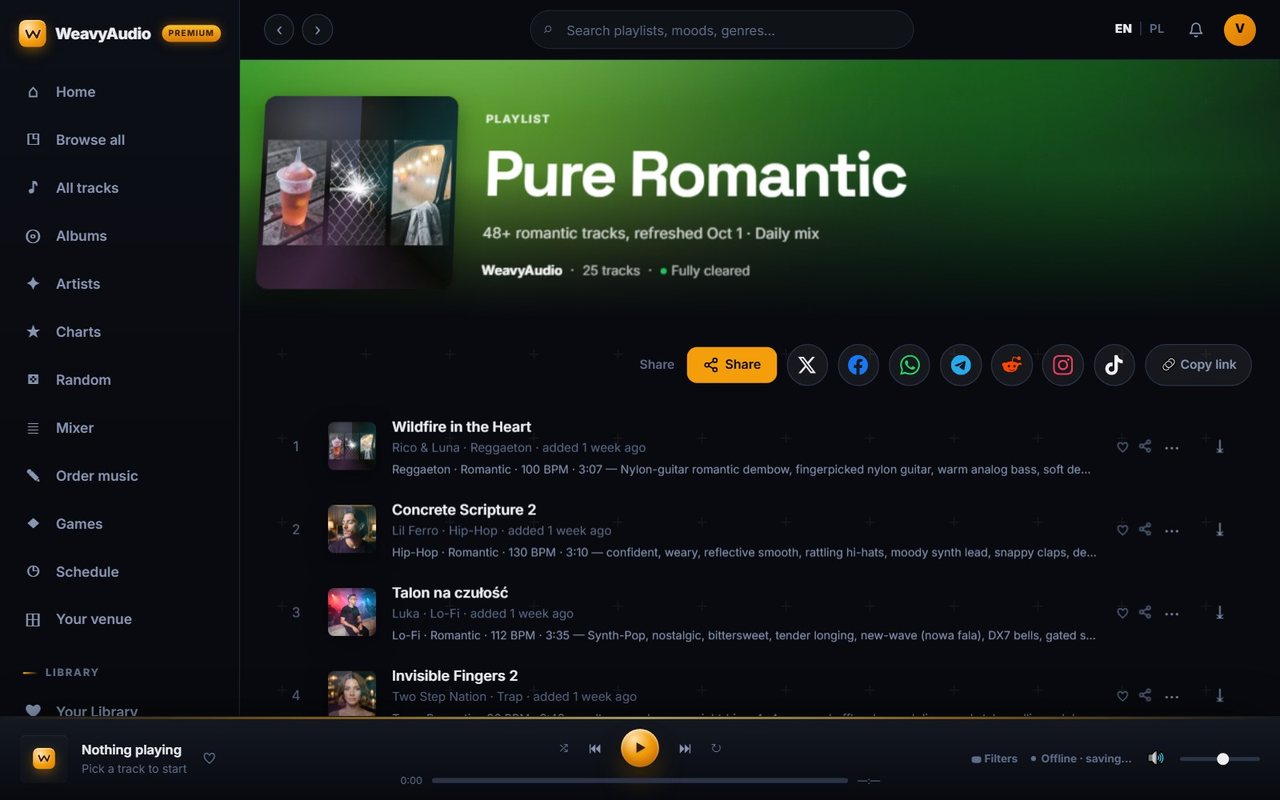
Opening a playlist shows its cover collage, the name, the description and a summary line. For Pure Romantic in the screenshot, that reads WeavyAudio, 25 tracks, Fully cleared. The track list below follows the familiar format, starting with Wildfire in the Heart by Rico & Luna (Reggaeton, Romantic, 100 BPM) and Concrete Scripture 2 by Lil Ferro.
Above the list sits a full sharing bar: a Share button plus direct buttons for X, Facebook, WhatsApp, Telegram, Reddit, Instagram and TikTok, and a Copy link option. An owner can send tonight's playlist to a manager, or a venue can post what it plays on social media in a couple of taps.
Mixing genres inside one mood, as this playlist does with reggaeton, hip-hop, lo-fi and trap, keeps a romantic evening from sounding repetitive while the overall feel stays the same from track to track.
A Music Schedule That Switches at the End of a Track
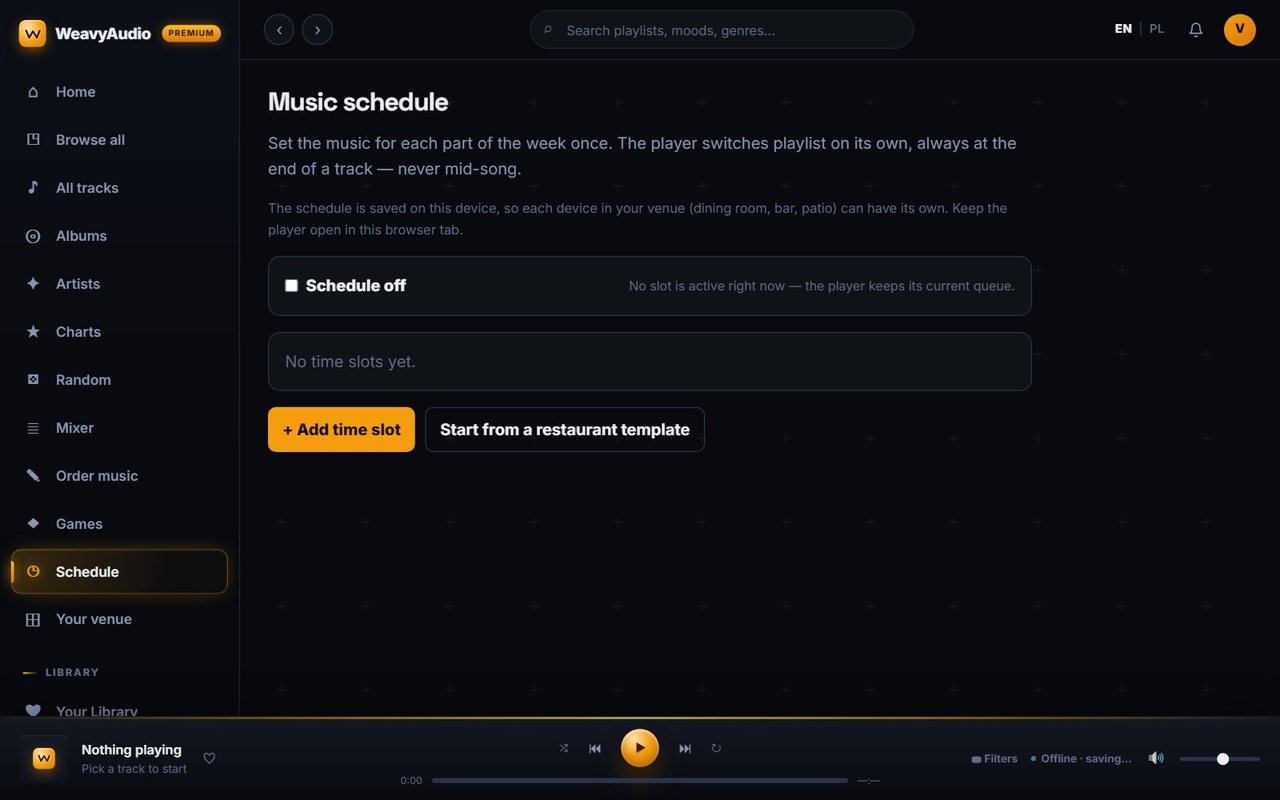
The Music schedule lets a venue set the music for each part of the week once. After that, the player switches playlists on its own, always at the end of a track and never mid-song, so guests do not hear an abrupt cut when lunch turns into dinner.
The page in the screenshot is in its starting state: a "Schedule off" checkbox with a note that no slot is active and the player keeps its current queue, a "No time slots yet" box, an Add time slot button and a "Start from a restaurant template" option for a quick start.
One detail is deliberate: the schedule is saved on the device itself. That means each device in a venue, such as the dining room, the bar and the patio, can run its own schedule. The page asks staff to keep the player open in that browser tab, which, together with offline caching, keeps playback running through the day.
Guides for Each Type of Business
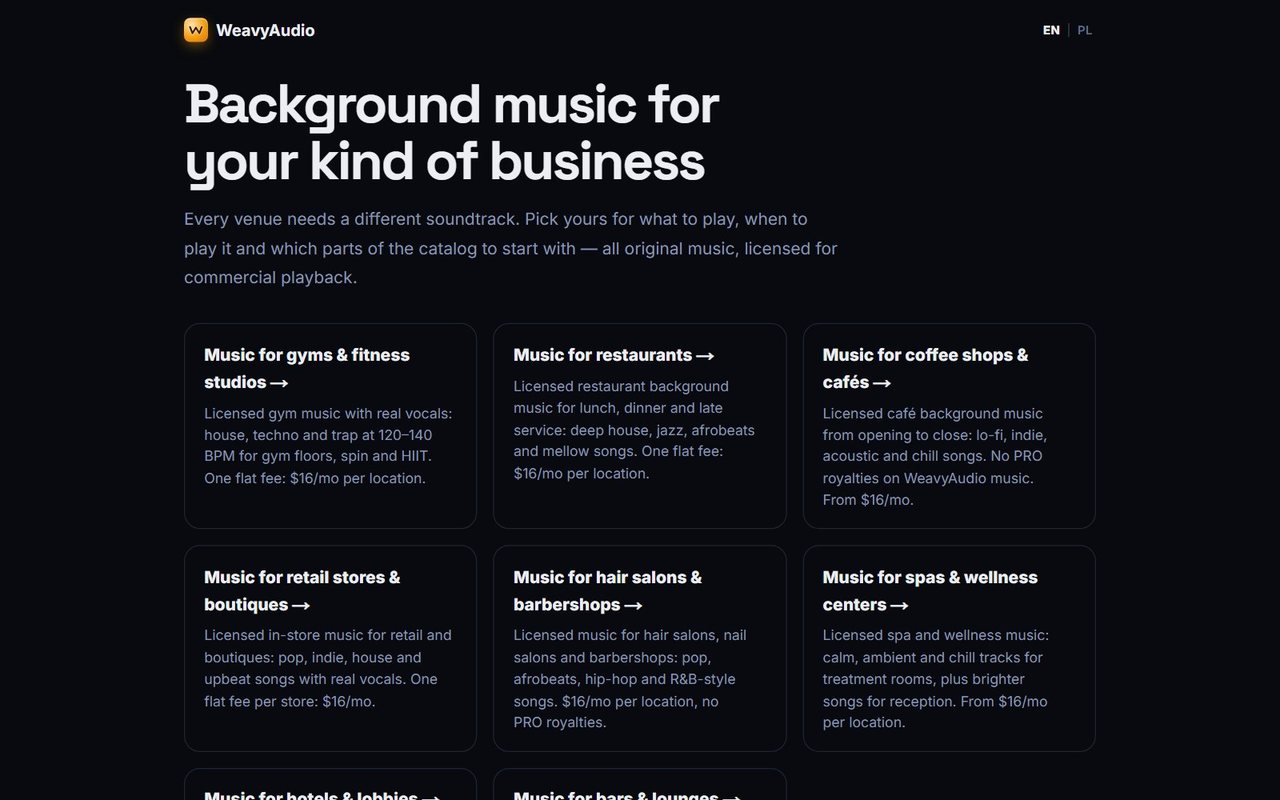
The Music for section, titled "Background music for your kind of business", starts from the idea that every venue needs a different soundtrack. It presents a card for each business type with a short summary of what to play and the price.
The cards cover gyms and fitness studios (house, techno and trap at 120 to 140 BPM for gym floors, spin and HIIT), restaurants (deep house, jazz, afrobeats and mellow songs), coffee shops and cafés, retail stores and boutiques, hair salons and barbershops, spas and wellness centers, hotels and lobbies, and bars and lounges. Each card repeats the same simple pricing message: a flat fee from $16 per month per location.
For a business owner, this is the fastest way to answer "what would this sound like in my place?" For the site, each card leads to a longer, dedicated guide, which gives search engines a clear page for each industry the service targets.
A Detailed Guide: Background Music for Restaurants
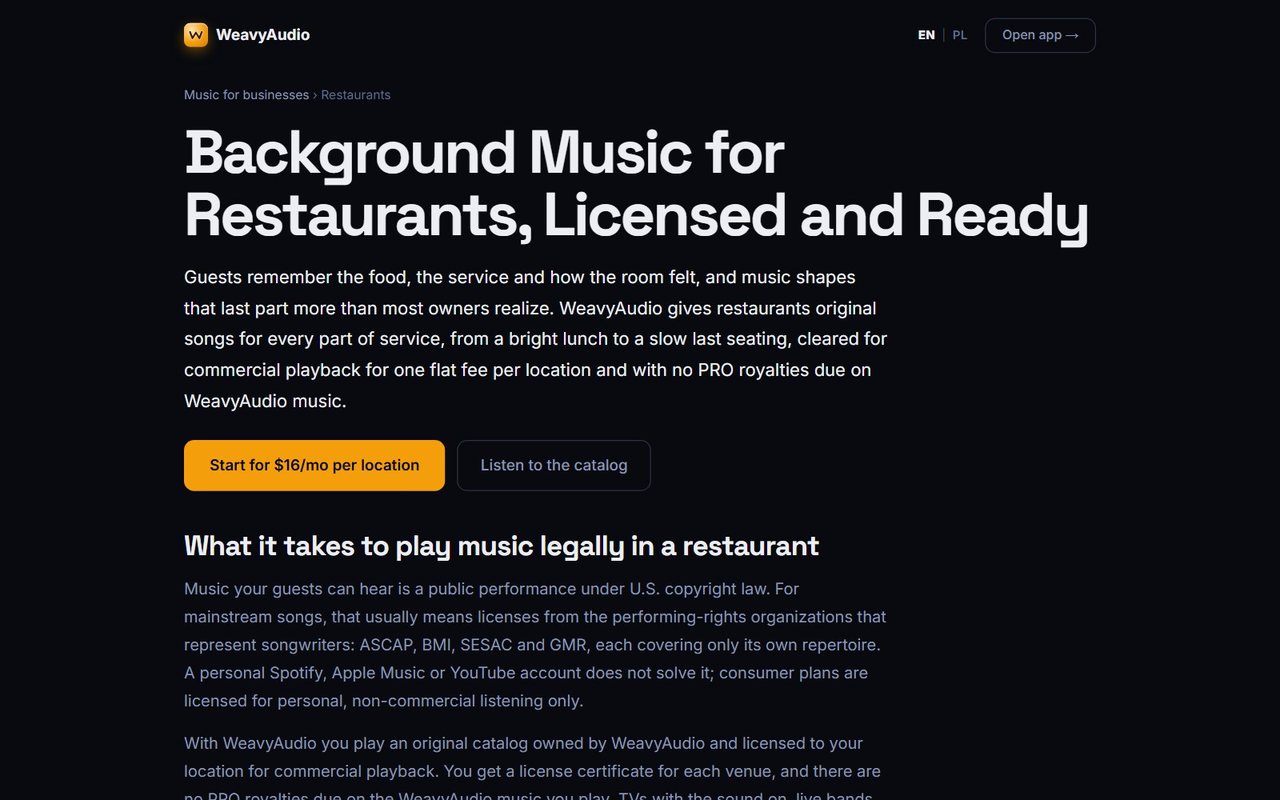
Each business type has its own in-depth page. The restaurant guide, "Background Music for Restaurants, Licensed and Ready", opens with a direct offer: original songs for every part of service, from a bright lunch to a slow last seating, for one flat fee per location. Two buttons follow: Start for $16/mo per location and Listen to the catalog.
The page then explains what it takes to play music legally in a U.S. restaurant: music guests can hear is a public performance, mainstream songs usually need licenses from ASCAP, BMI, SESAC and GMR, and personal Spotify, Apple Music or YouTube accounts are for non-commercial listening only. It also states clearly what WeavyAudio does not cover, such as TVs with the sound on, live bands and DJ nights.
Later sections discuss matching tempo to service, citing a 1986 study by Ronald Milliman and treating it as a signal rather than a promise. That measured tone is intentional: the page informs first and sells second.
Your Library: Likes, Follows and History
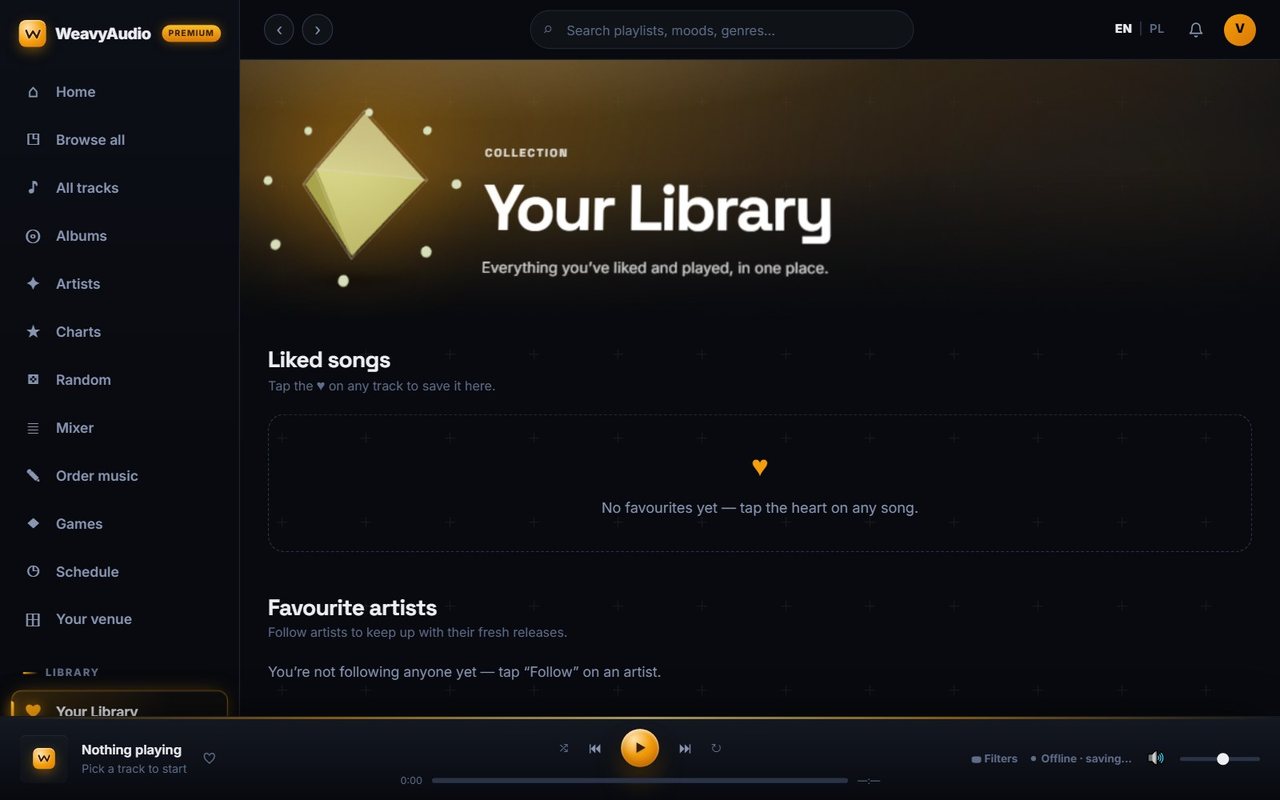
Your Library collects everything a user has liked and played in one place. It has three parts: Liked songs, where any track saved with the heart icon appears; Favourite artists, for keeping up with the fresh releases of the acts you follow; and Recently played.
The screenshot shows a new trial session, so each section displays a friendly empty state instead of a blank space, such as "No favourites yet" with a prompt to tap the heart on any song, and a note that you are not following anyone yet with a hint to tap Follow on an artist. A Browse the catalog link points the way back to the music.
In a venue, the library becomes the staff's shortlist. Tracks that customers asked about, or that simply work well in the room, can be saved with one tap and found again in seconds. Designing clear empty states was part of the job too: a first-time user should always know what to do next.
The Mixer: EQ, Speed and A–B Loop
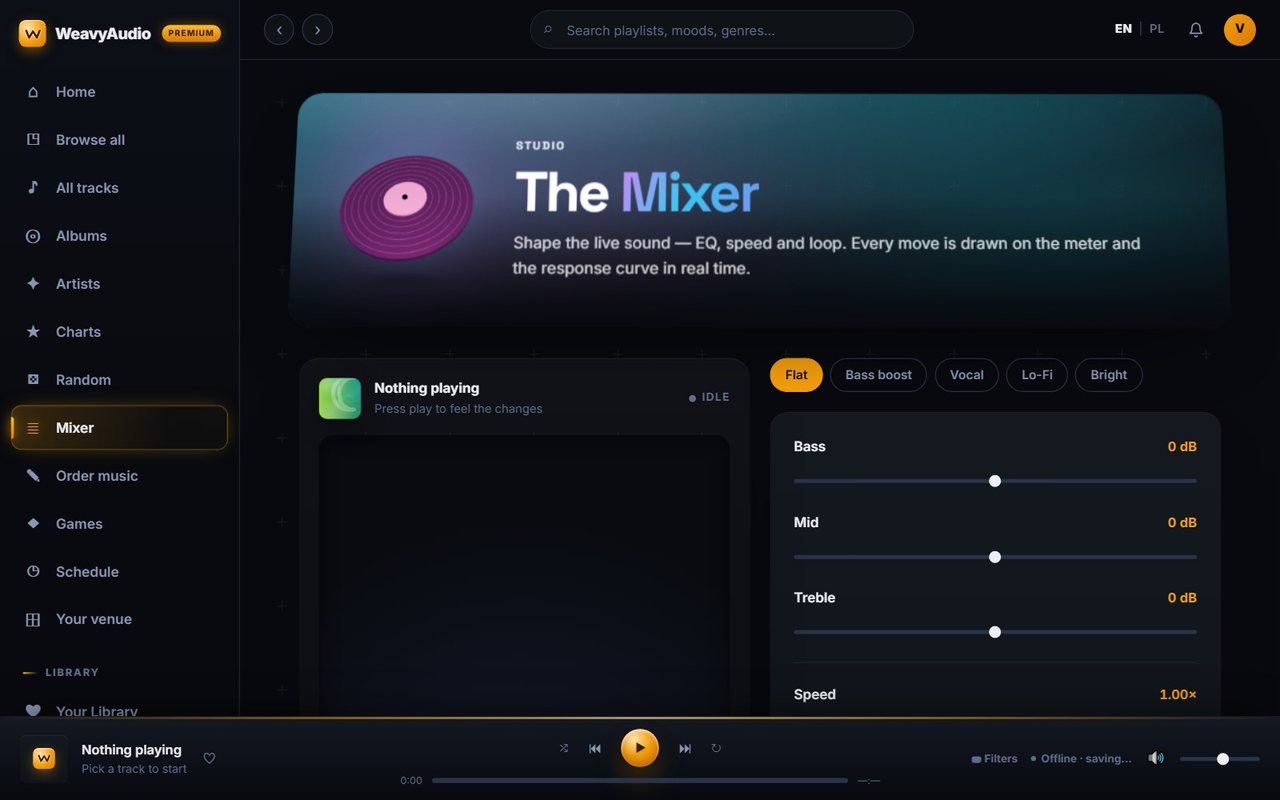
The Mixer lets you shape the live sound of whatever is playing: EQ, speed and loop. According to the page, every change is drawn on a meter and a response curve in real time.
Presets across the top give one-tap starting points: Flat, Bass boost, Vocal, Lo-Fi and Bright. Below them are sliders for Bass, Mid and Treble in decibels, and a Speed control that starts at 1.00×. The page also offers a Loop the track option and an A–B loop: press Set A at the start point and Set B at the end, and that part of the song repeats. A Reset to flat button returns everything to neutral.
This is useful in real rooms. Small café speakers often sound thin, so a little extra bass helps; a busy restaurant may need clearer vocals; a fitness class may want one section repeated. All of it works inside the web app, with no extra hardware to buy.
Music Games for Staff and Guests
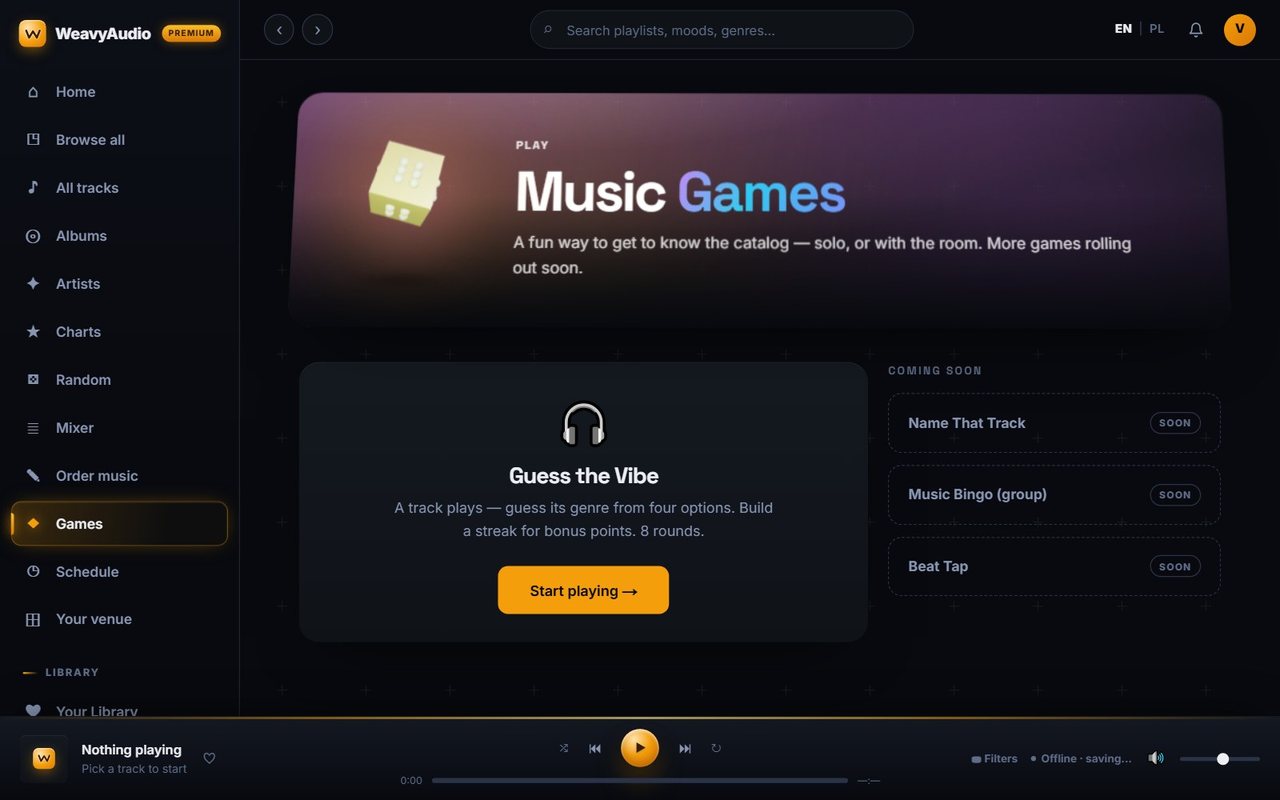
The Music Games page is described as a fun way to get to know the catalog, solo or with the room. The first game is live: Guess the Vibe. A track plays and you guess its genre from four options, building a streak for bonus points over 8 rounds. A Start playing button launches it.
Three more games are listed under Coming soon: Name That Track, Music Bingo (group) and Beat Tap. The group bingo in particular points to how a bar or café could use the feature for an event night.
Music games may look like an extra, but they have a practical side. Staff who know the catalog pick better music, and a short quiz is an easy way to learn the difference between, say, deep house and afro house. For the platform, games give people another reason to open the app between shifts and explore music they have not heard yet.
Order a Custom Track
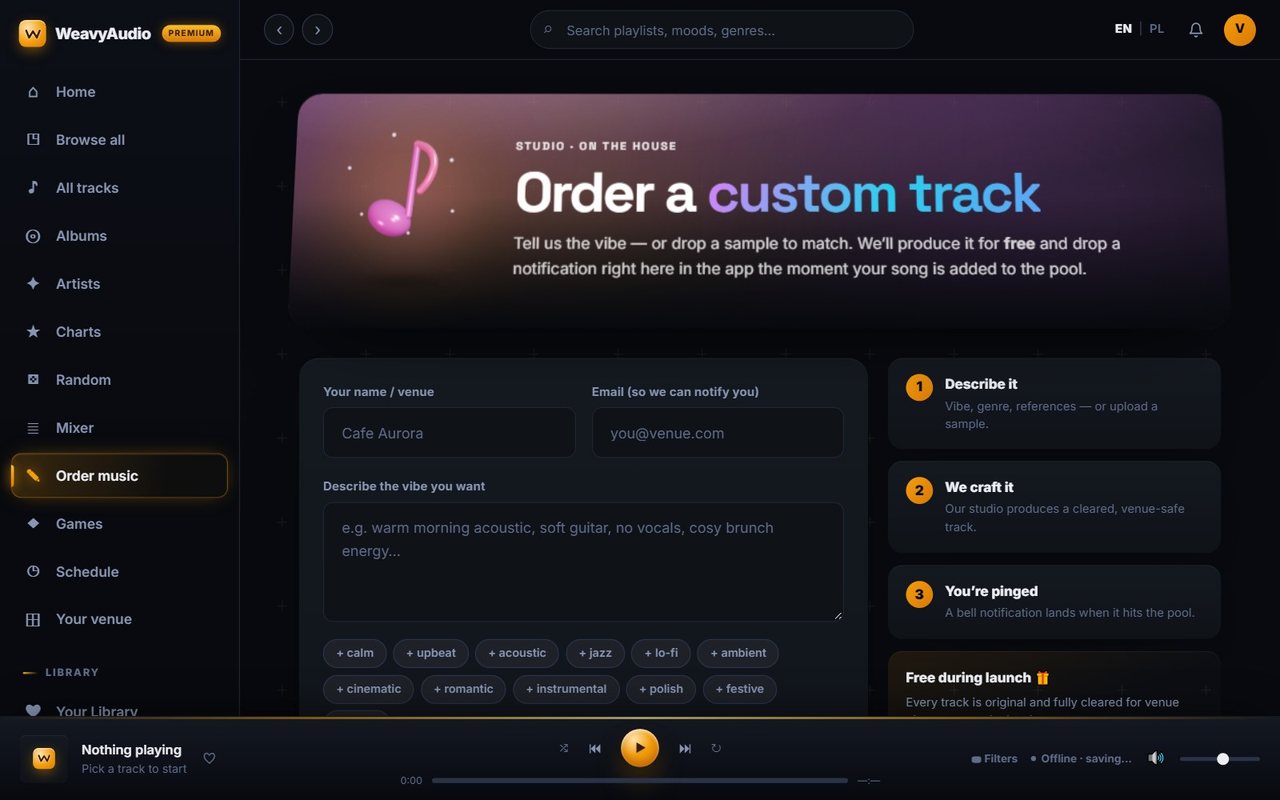
If the catalog does not have quite the right sound, a venue can order a custom track. The form asks for your name or venue, an email for the notification and a description of the vibe you want, with quick tags such as calm, upbeat, acoustic, jazz, lo-fi, ambient, cinematic, romantic, instrumental, polish, festive and focus. You can also pick a genre, a mood and a tempo (slow, medium or fast), list reference songs or artists, and upload an optional audio sample of up to 20MB.
A three-step panel explains the process: you describe it, the studio crafts a cleared, venue-safe track, and a bell notification lands in the app when the song is added to the pool. The page labels the service "Free during launch".
For us, this feature connects the public app to the production side: each request arrives with everything needed to brief a new track, and the in-app notification closes the loop with the customer.
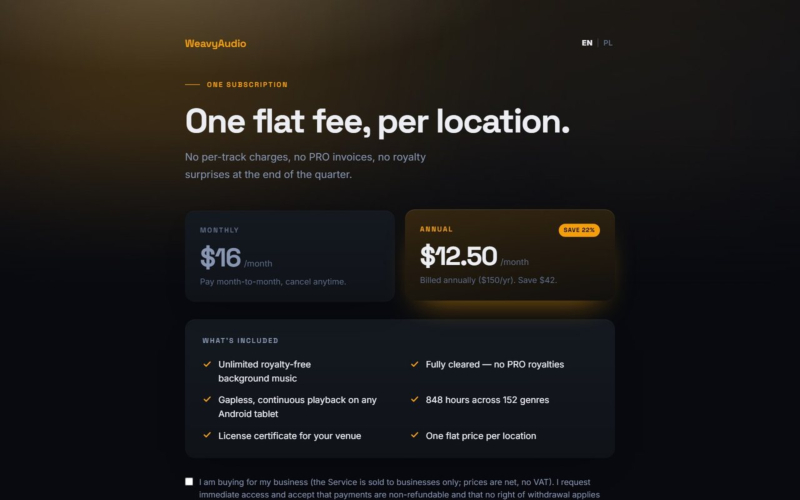
The final part of the series covers licensing and pricing: the subscription, the music license cost calculator, partner venues, the blog and Weavy Studio, a separate app for turning lyrics into songs. Part 2, on artists, albums and tracks, comes right before this one.
Does your business need a custom web platform, a music-streaming-style portal or a new website? Breeze Professional IT Services can design, build, host and maintain it. Contact us to start the conversation.
This project was designed, built and is hosted by our team. See the overview in Our Newest Project: WeavyAudio, the WeavyAudio project page and our other projects, or contact us about your own platform.
WeavyAudio feature series
- Part 1: WeavyAudio Case Study, Part 1: Catalog and Music Discovery
- Part 2: WeavyAudio Case Study, Part 2: Artists, Albums and Tracks
- Part 3: WeavyAudio Case Study, Part 3: Music Tools for Venues (you are here)
- Part 4: WeavyAudio Case Study, Part 4: Licensing, Pricing and Weavy Studio


