



Installing CCTV or IP cameras can seem complicated, but with the right guidance, anyone can set up a reliable security system at home or in the office.
Choosing the Right Camera
Select cameras based on resolution, field of view, night vision capabilities, and connectivity options.
Tips for Camera Placement:
- Cover all entry points, including doors and windows
- Place cameras at eye level for optimal identification
- Ensure adequate lighting and avoid direct sunlight
- Use weatherproof cameras for outdoor areas
Installation and Configuration
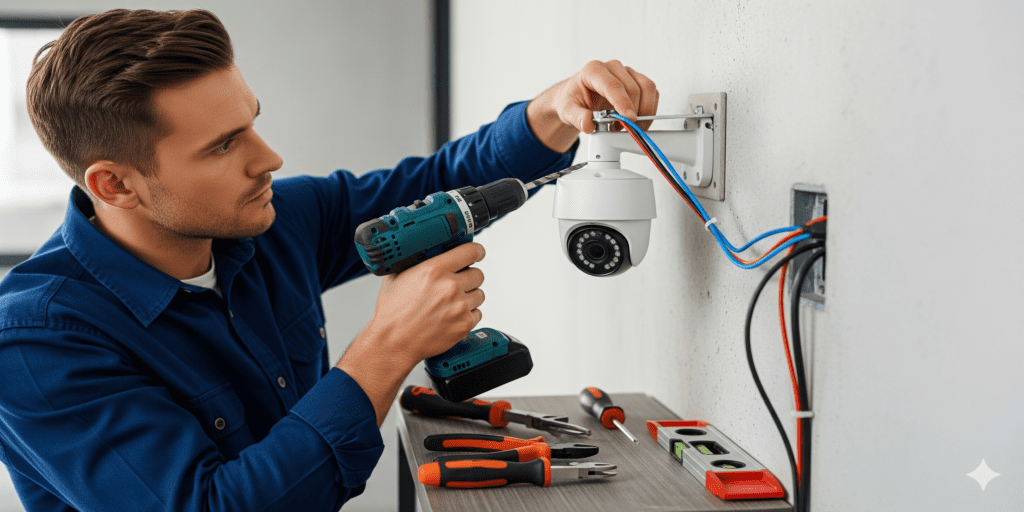
Mount cameras securely, connect them to the network or DVR/NVR, and configure settings via software or app.
Maintenance Tips:
- Clean lenses regularly
- Check cables and connections
- Update firmware to improve performance and security
Pro tip: Label each camera feed in your monitoring software for easier identification.
Enhancing Your Surveillance System
Consider motion detection alerts, cloud storage for recordings, and integrating with smart home systems for advanced monitoring and control.
Configuration tips after the cameras are mounted
Mounting is the visible part of a camera project. Most problems people search for later, such as blurry faces, cameras dropping offline or a recorder that stops recording, come from the configuration steps below.
- Plan for pixels, not megapixels. The DORI guideline from the 2014 edition of the IEC 62676-4 standard gives useful targets: about 25 pixels per meter to detect a person, 125 to recognize someone you know and 250 to identify a stranger. A wide lens on a 4K camera can still fall short at a distant gate.
- Check the PoE budget and cable length. Standard PoE (802.3af) supplies up to 15.4 W per port and PoE+ (802.3at) up to 30 W; cameras with heaters or motorized zoom may need the higher class. Keep each Ethernet run within 100 meters (328 feet).
- Give every camera a fixed address. Use DHCP reservations or static IPs, record them, and ideally put cameras on their own VLAN so they cannot reach office computers.
- Replace default passwords and update firmware before the system goes live, and switch off unused features such as UPnP.
- Sync the time. Point cameras and the NVR at the same time server; footage with the wrong timestamp is hard to use as evidence.
- Size storage from bitrate. A camera streaming at 4 Mbps writes about 43 GB per day (4 megabits x 86,400 seconds / 8). Multiply by cameras and days of retention; H.265 compression usually stretches it further.
- Set motion zones and schedules so trees and passing traffic do not bury real events.
One of the most useful CCTV tips is to review a recording made at night before signing off: infrared glare, headlights and spider webs only show up in the dark.
Frequently asked questions: CCTV installation
Do IP cameras need internet to work?
No. They need a local network and a recorder or software to record to. Internet access is only required for viewing away from the property, cloud backup and some firmware updates.
Can I install an IP camera system myself?
A small plug-and-play kit is a manageable DIY project. Long cable runs through attics and walls, outdoor weatherproofing, many cameras or mixed brands on one recorder are where professional help saves time. Look for ONVIF Profile T support: ONVIF is ending Profile S conformance in March 2027.
How do I view my cameras from my phone safely?
Use a VPN or the manufacturer's encrypted relay instead of forwarding ports on your router, and give each viewer a separate user account rather than sharing the admin login.
Need help with this? Our IP camera and NVR setup and secure remote camera viewing services cover the configuration above. When an old DVR is replaced, its drive still holds footage, and hard drive shredding and data destruction takes care of it. Request a quote for Long Beach, San Pedro or Los Angeles.
How to install IP CCTV system hardware in the right order
Work from the plan to the settings: mark entry points and camera positions, run and test each cable (within 100 meters), mount the cameras, connect them to the PoE switch or recorder, then configure passwords, firmware, time and motion zones.
For a server based CCTV system setup, the same steps apply, except that recording software on a computer or server replaces the NVR. Size its storage from bitrate and sync it to the same time server as the cameras.