Ask anyone what a security camera system costs and the honest answer is "it depends", which is not much help when you are trying to set a budget. What it depends on can be listed, though. For a business security camera installation, the price is shaped by how many positions need covering and what each must show, how hard the building is to cable, how long footage has to be kept and what the system costs to run once the installer has left. This guide walks through those factors and shows how to compare quotes that look alike but are not.
Why no two business security camera installation quotes match
Two quotes for "eight cameras and a recorder" can describe very different jobs. One may assume short cable runs through a drop ceiling and wide lenses everywhere. The other may include a lift for a warehouse wall, varifocal lenses at the doors, conduit outdoors and a recorder sized for a month of footage. What matters is not the camera count but what each camera is expected to capture and how the cable gets there. Once the scope is written down, security camera installation cost becomes something you can compare, which is why our CCTV installation process starts with a site survey and a written camera plan.
The number of cameras and the job each one does
Start with the questions the footage must answer rather than a camera count. An overview camera shows what happened in a parking lot; a camera at the door shows who did it. The second needs a narrower view and more detail on a smaller area, which is why one wide camera rarely replaces two well-placed ones. Our CCTV and IP camera setup guide explains the pixel-density targets behind this. Typical positions for a business:
- Entrances and exits: face-level detail, often with wide dynamic range for doors that face bright daylight.
- Registers and counters: hands, cash and the customer side of the counter.
- Parking lots and yards: an overview, plus a plate-level camera at the gate if vehicles matter.
- Back doors, loading docks and stock rooms: the places where losses tend to go unnoticed.
Walking the site with this list settles the number of cameras more reliably than any rule of thumb, and it shows where one varifocal camera can do the work of two.
The building decides most of the labor
Cabling is where the hours go, and it depends on the construction more than on the camera count.
- Ceiling type. A drop ceiling lets cable run quickly above the tiles. A hard ceiling, exposed concrete or a tilt-up warehouse wall means surface raceway, conduit or longer routes.
- Cable rating. Ceiling spaces used for air return typically call for plenum-rated cable under fire and building codes, and outdoor runs need cable made for sun and moisture. Both cost more than basic cable, and skipping them is a false saving.
- Long cable runs. An Ethernet run is limited to 100 meters (328 feet), so a distant gate or outbuilding needs a switch in between, fiber or a wireless bridge.
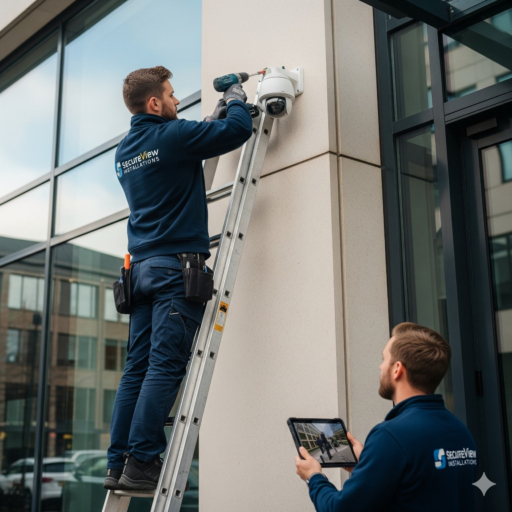
- Mounting height. Anything above ladder height needs a lift, and high warehouse walls or poles in a lot add time and equipment.
- Existing cabling. Old coax or network cable can sometimes be reused after testing, which may avoid opening walls.
Occupied buildings add one more factor: work in a busy shop or office may have to happen before opening or after closing.
Recording, network and power
The recorder is sized by the number of channels and by recording retention, meaning how many days of footage it keeps before overwriting the oldest. A shop that needs to look back over a long holiday weekend needs more storage than one that checks footage every morning, and higher resolution or continuous recording multiplies the requirement.
- PoE switch. Wired IP cameras take power and data over one cable. The PoE switch, or the recorder's built-in ports, must supply enough power for every camera at night, when infrared lighting draws more.
- Battery backup. A small UPS keeps the recorder, switch and cameras running through short outages and protects the drives from sudden power loss.
- Network separation. Cameras on their own network segment cannot be used as a path into office computers.
Where the recorder sits matters too: a locked cabinet or back office stops a thief from walking away with the evidence.
Running costs that belong in the comparison
The installation price is only part of the cost of ownership. Ask about recording drives, which wear out and will need replacing, any per-camera cloud or software subscriptions, the manufacturer's firmware support and routine maintenance. A system that records locally to an NVR does not depend on a monthly cloud subscription, although off-site copies of important clips can be added.
How to compare quotes line by line
Buyers comparing offers for professional security cameras installation often look only at the camera count and the total. A useful camera installation quote should let you answer each of these:
- Which camera model and lens goes at each position, and what is that camera meant to capture?
- How many days of footage will be kept, at what resolution and frame rate?
- Which cable type is used, and how will it be routed and protected?
- Who holds the administrator account afterwards? It should be you.
- What is handed over: a camera plan, a list of accounts and notes on how to export a clip?
- What happens to cameras and recorders being replaced, including the footage on their drives?
The same questions apply to a small office security camera setup as to a warehouse; only the answers get longer.
Frequently asked questions: business security camera installation
How many cameras does a small business need?
Enough to cover every entrance and exit, the register or cash area, and any spot where stock or vehicles can leave unseen. For a small shop or office that is often a handful; a site with parking, a yard and a loading dock needs more. A walk-through with a floor plan is the quickest way to find out.
Is it cheaper to reuse the cabling from an old system?
Sometimes. Coax or network cable in good condition can serve new cameras with the right equipment, which avoids opening walls. Cable that is damaged, too long or of poor quality costs more in troubleshooting than it saves, so it should be tested before anyone relies on it.
Why do quotes for the same number of cameras differ so much?
Because they rarely describe the same work. Differences in lenses, cable routes, mounting height, retention and what is included at handover add up quickly. Ask each installer to spell out those items so you are comparing like with like.
Planning cameras for a shop, office, lot or yard in Long Beach, San Pedro or nearby parts of Los Angeles County? Our security camera installation service starts with a site survey and a written camera placement plan, so the quote reflects your building rather than a package. Already own cameras that only need configuring? See IP camera and NVR setup. Send us a short description of the property and we will arrange a site survey.